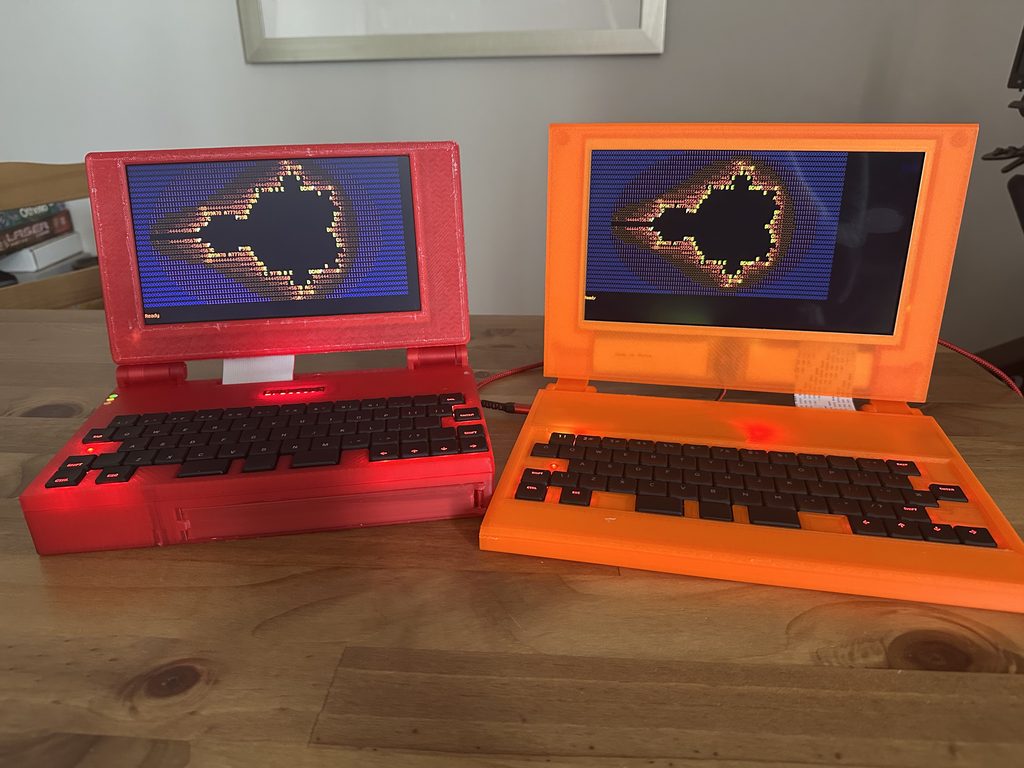
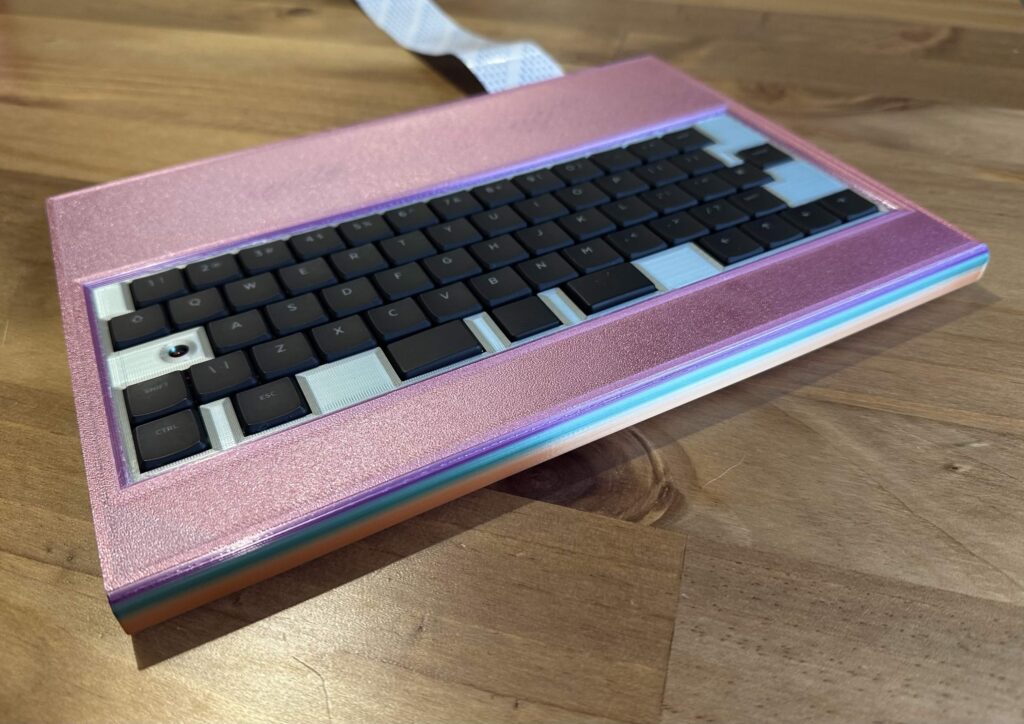
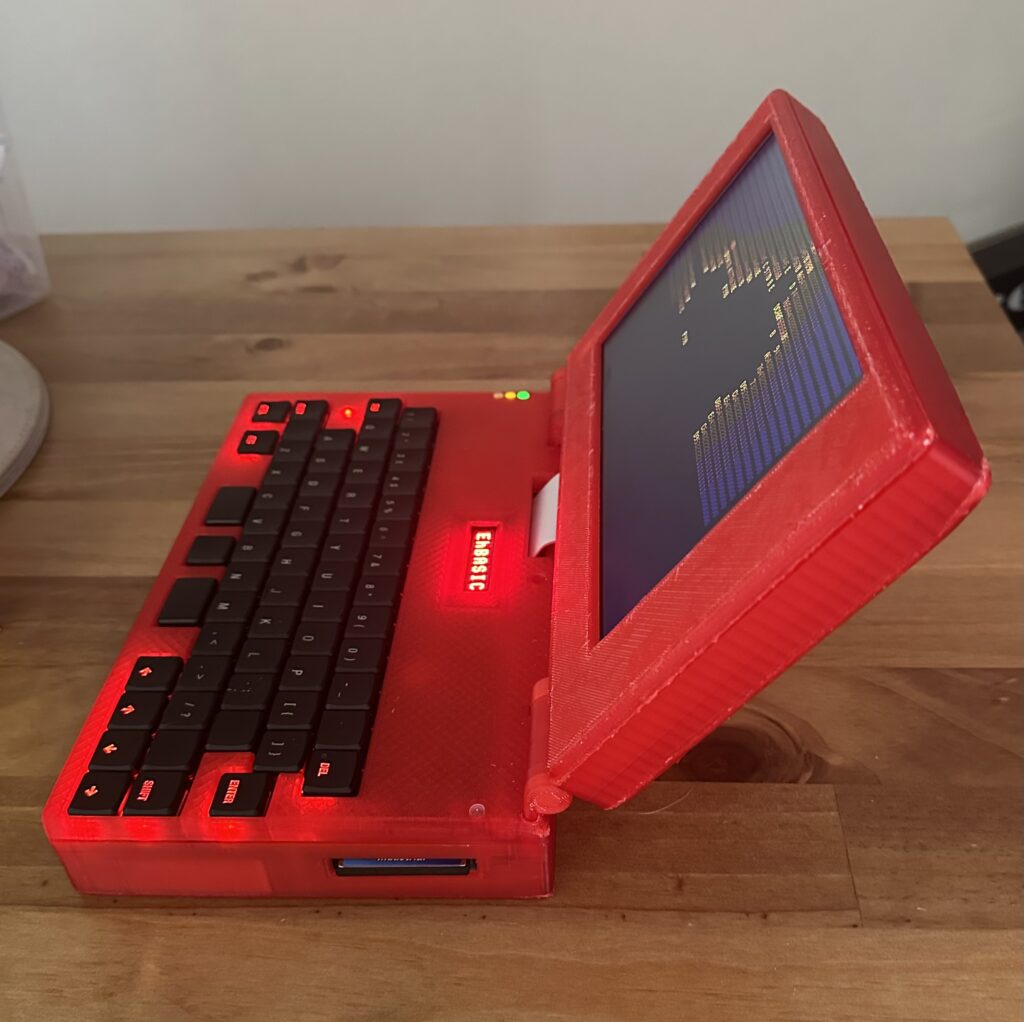
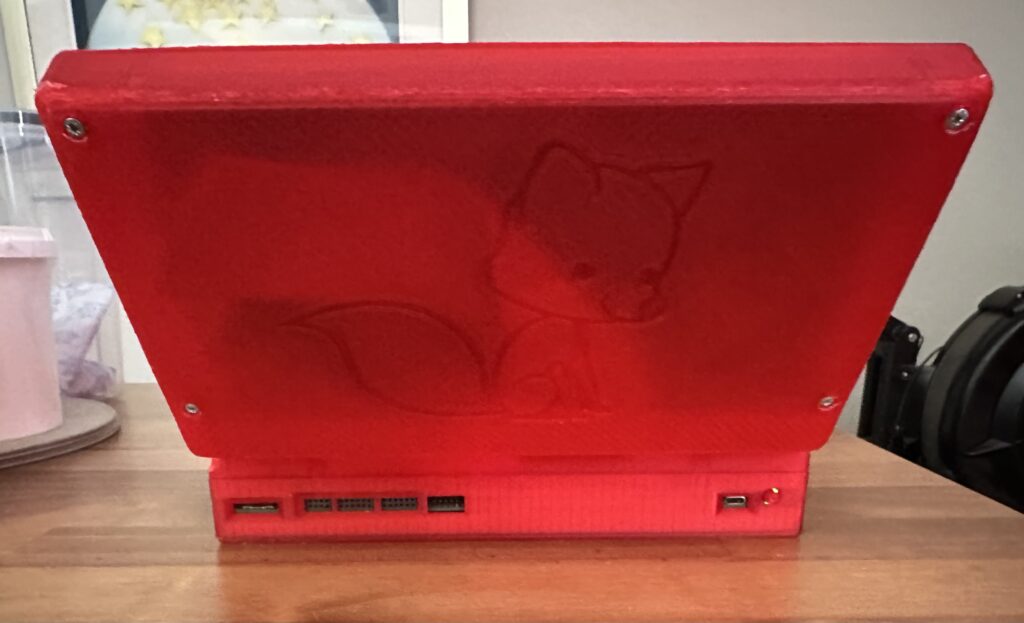
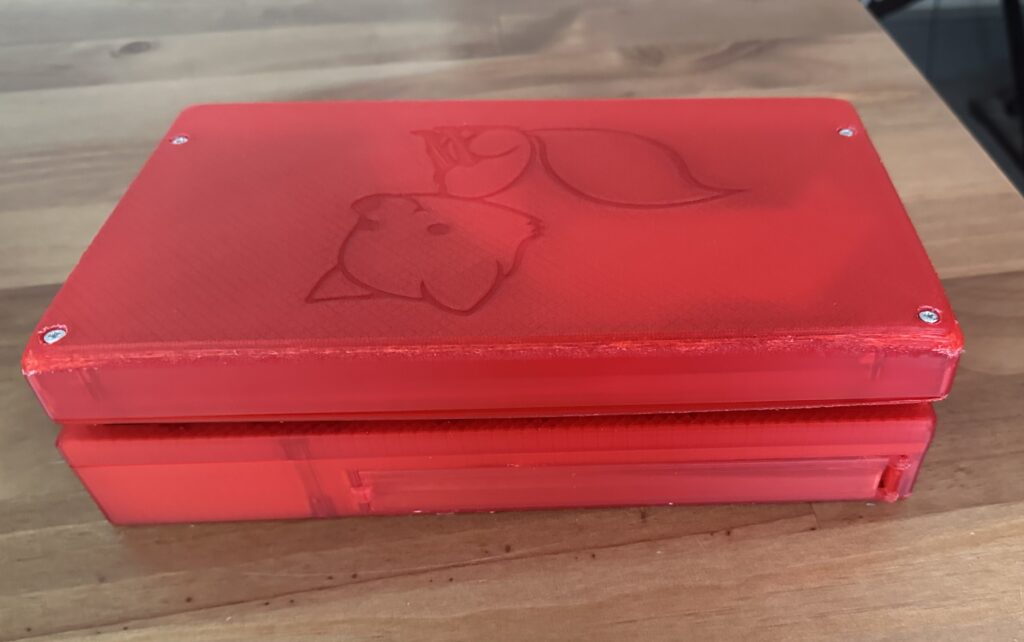
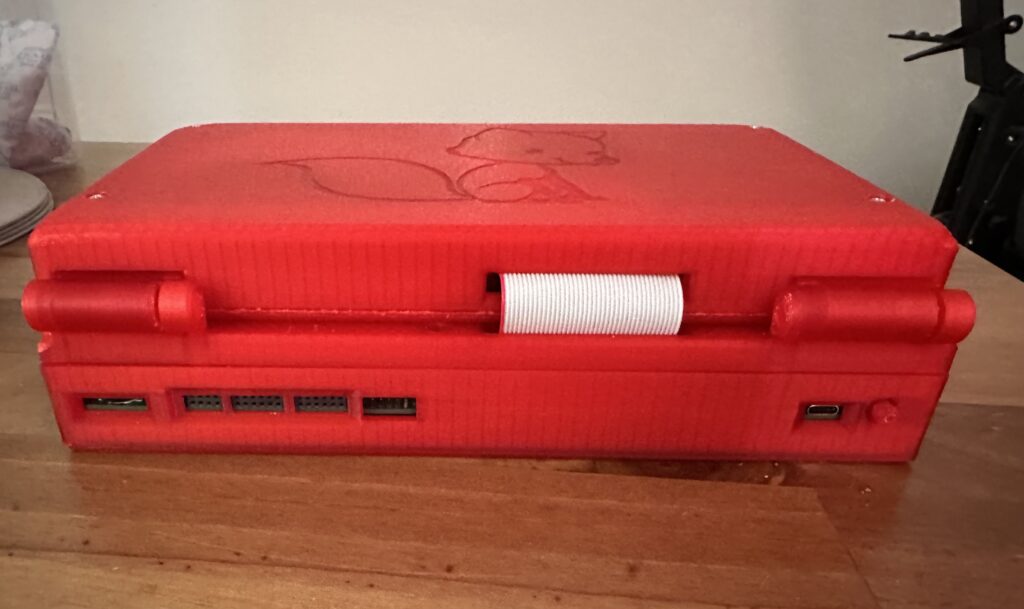
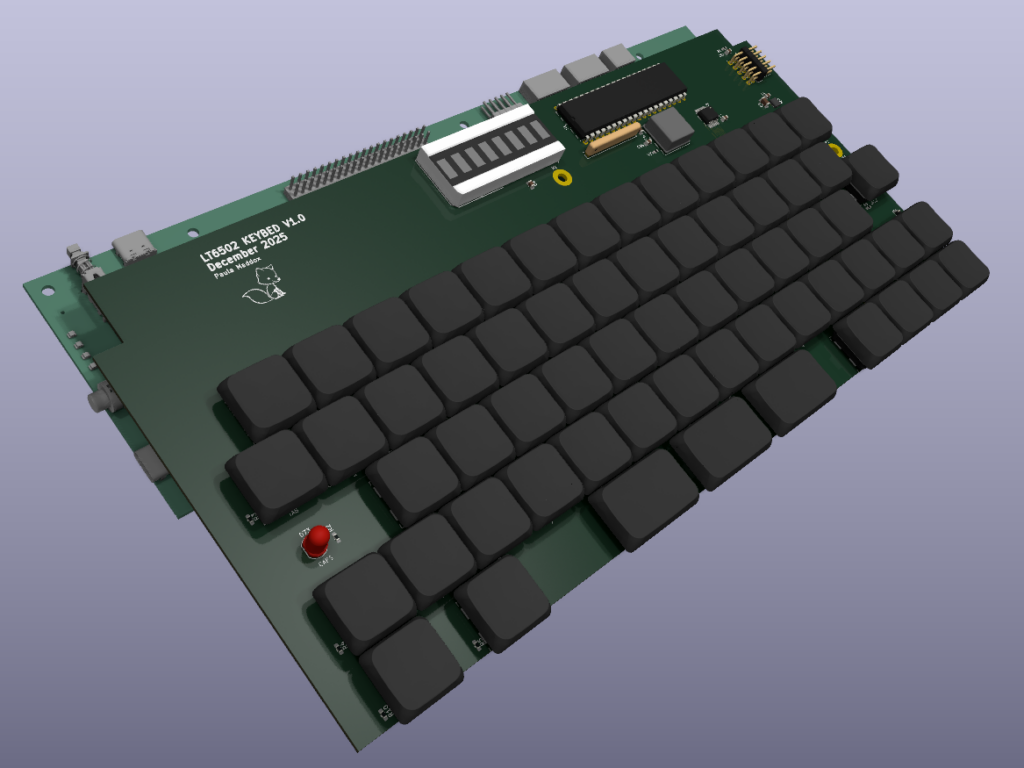
Well, I had a chance to get my head sorted and I finally finished the “b” version of the LT6502
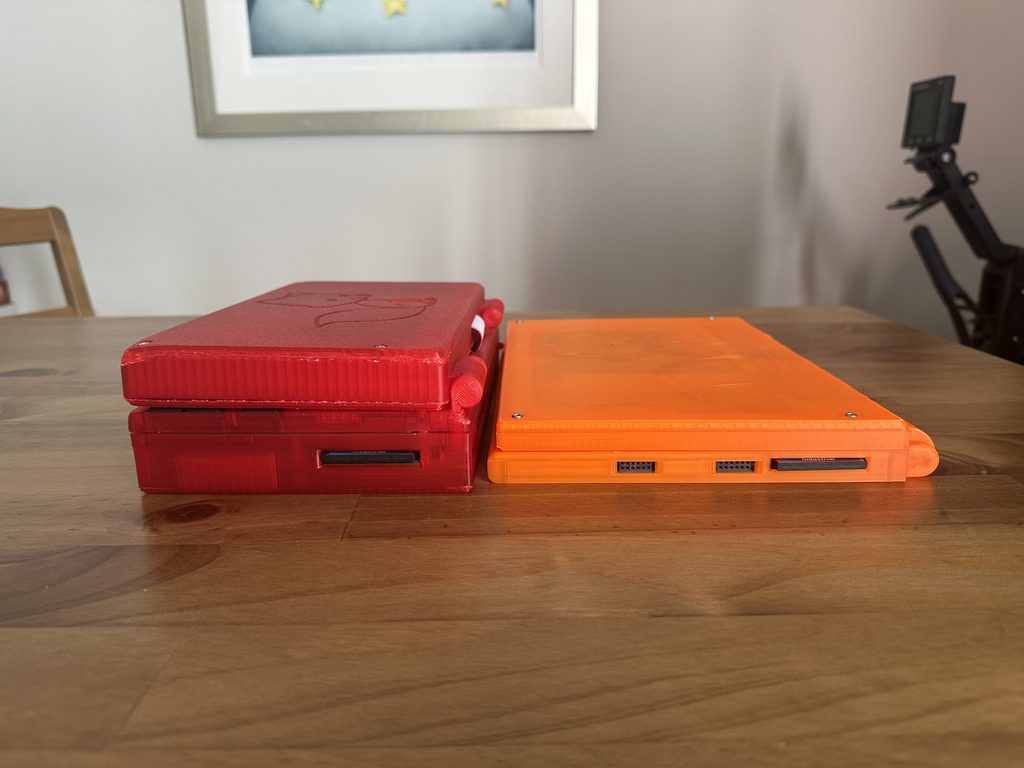
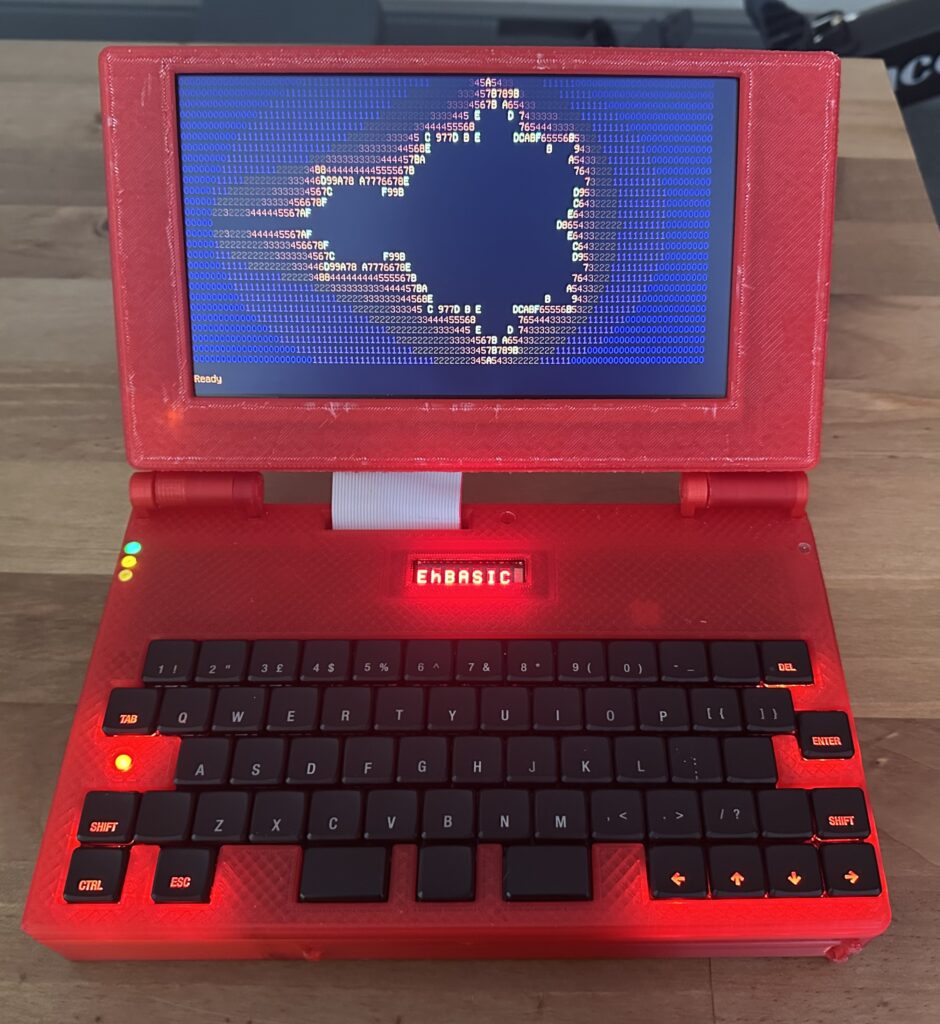
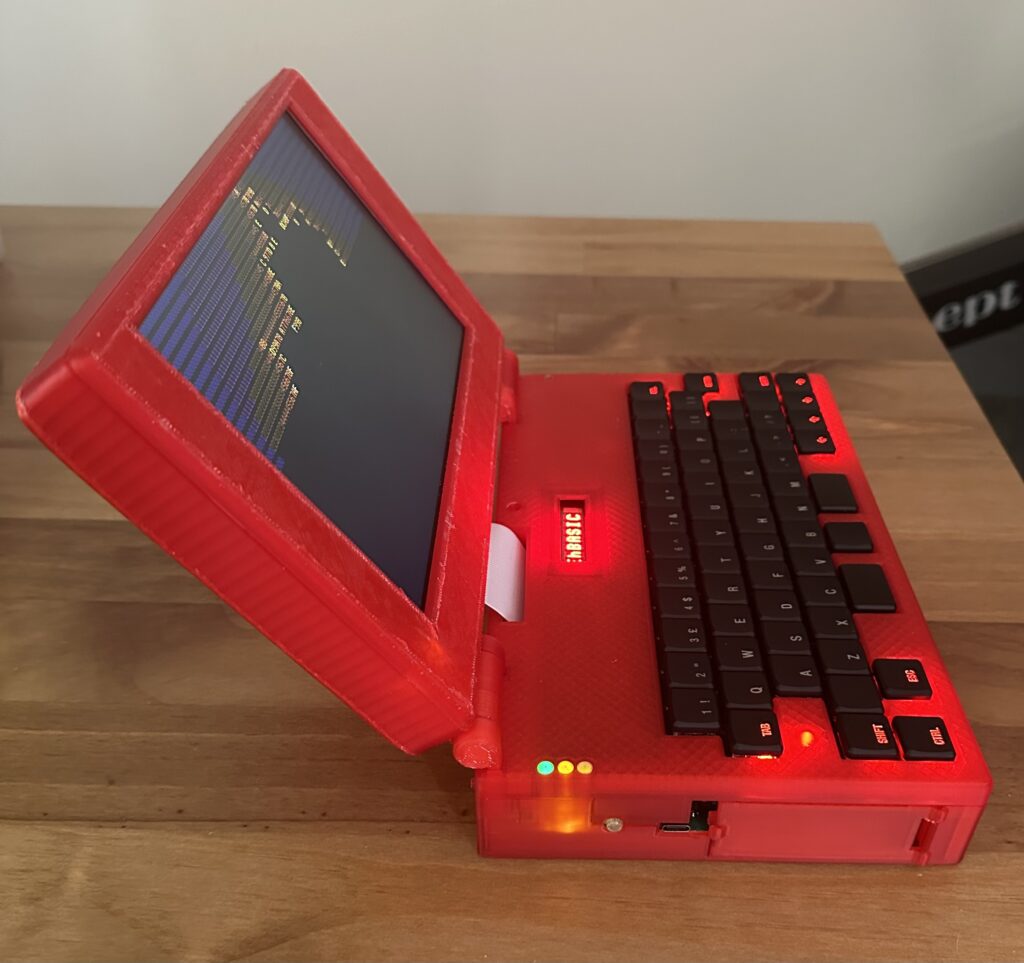
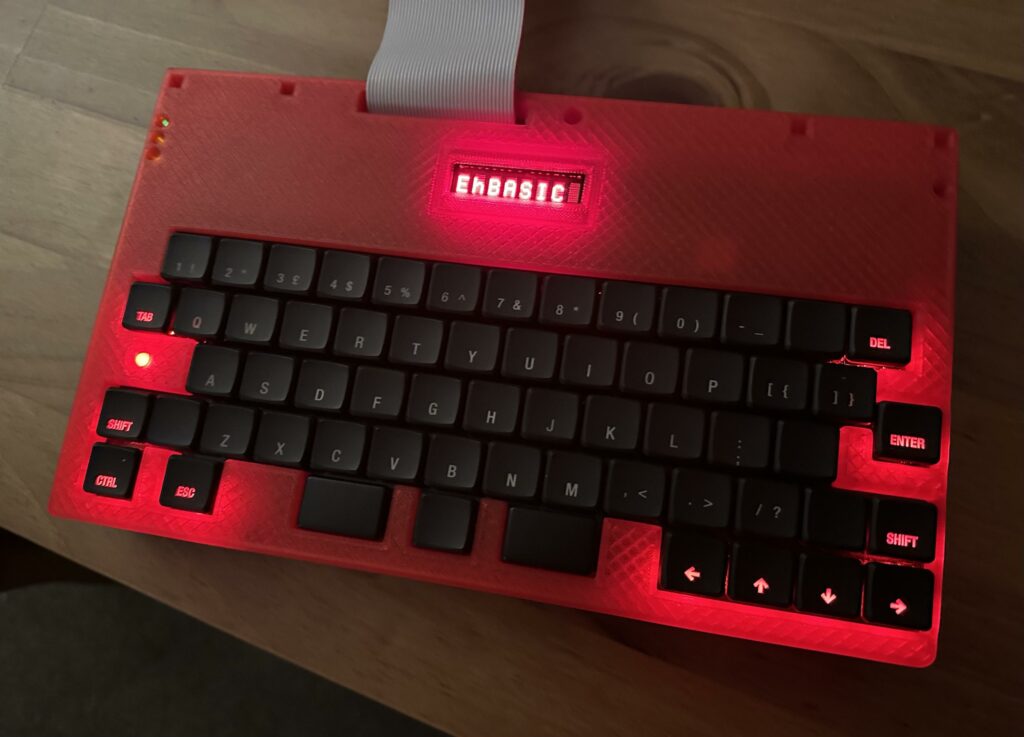
Here you can see it next to the first version, I changed my mind about the case and went for translucent orange, it’s way more vivid in real life. I really do like the translucent material, it’s really different 🙂
The first big thing that’s different, it’s half the thickness of the old one;
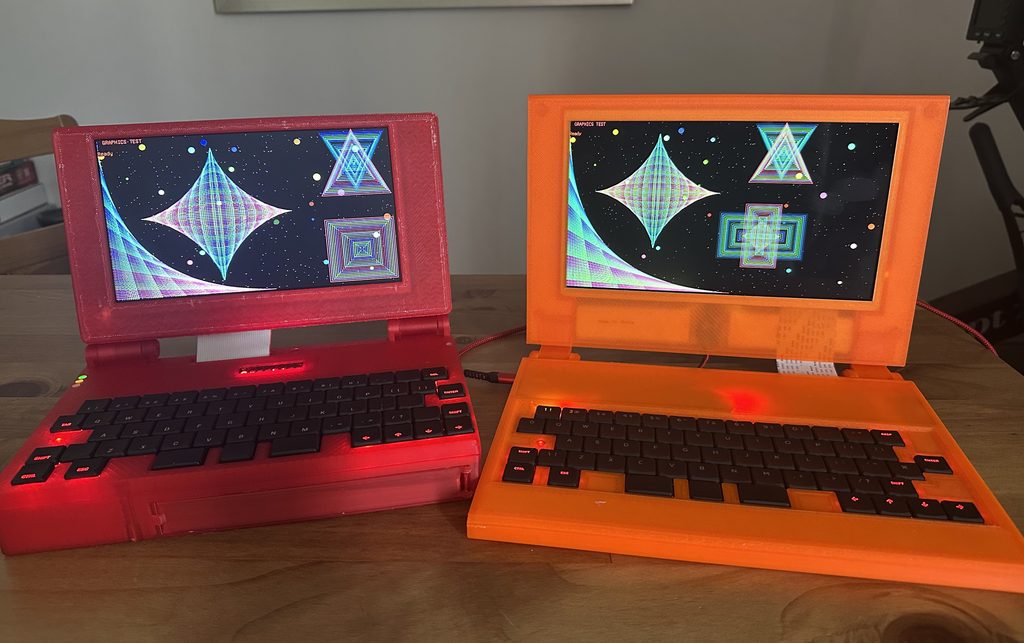
It also has a larger, higher resolution screen. The screen is 1024×600 and is 10.1″, the previous one was 800×480 and 9″.It has a similar battery capacity, so should last about the same amount of time.It’s a little faster, 10MHz instead of 8MHz.It has a SID emulator on board and a WiFi Modem.
It doesn’t have an expansion slot though. The aim was to make it more “sleek”.
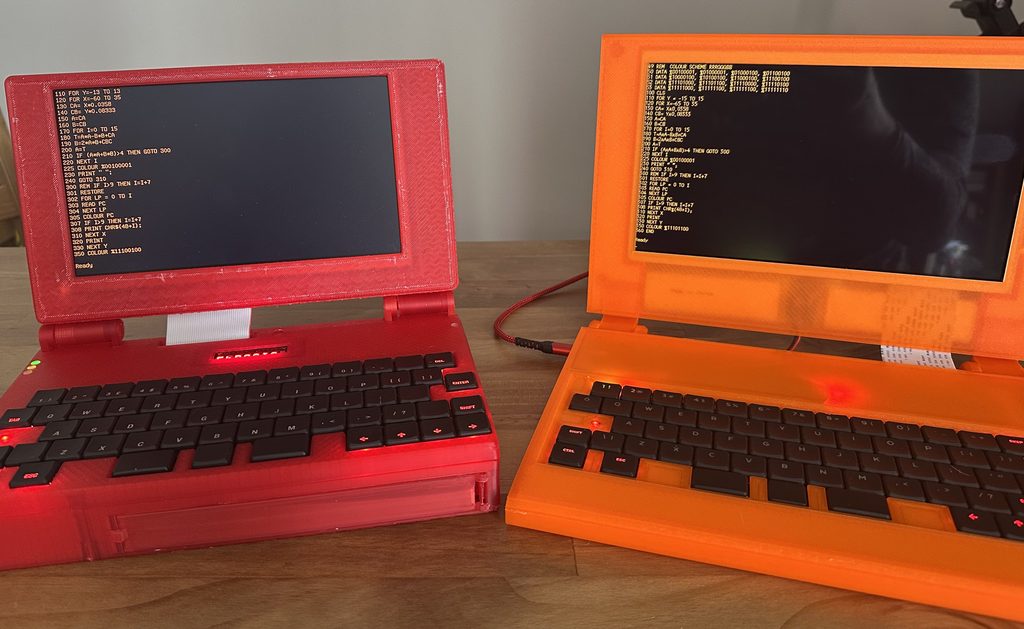
The screen also has a better contrast ratio being IPS rather than regular LCD, and the higher resolution really does show.
Here is a good example of that, and also the extra rows of text you can fit on the screen!
The holes and support for the heat inserts need making bigger and stronger, they’re VERY weak.
CAPSLOCK led under the capslock key
Find a better WiFi Modem, this is too slow and a bit flakey for real use.
better speaker, it works, but it’s a bit “anemic”
Faster, start with speed in mind (i.e. figure out how to copy ROM to RAM and switch out ROM)
Better battery solution, I’m thinking something 18650 and on the back as part of the “hinge”
USB PD support that doesn’t need preprogramming of the USB-PD chip to limit it at 5V, would be nice to have a buck/boost convertor to take anything USB-PD can throw at it and make it 5V
Better sound chip, the SID is ok, but it’s a bit limited by modern standards.
I really want to be able to read a FAT16 file system on the CFCard rather than my own custom one.
Page 2
To be honest May and June haven’t been good months for my mental health, I’m not going to go any further into it than to say I’ve run out of beans and things have been going very slowly.
BUT, I have made some progress, in May I had this list;
The SID output is incredibly quiet, much quieter than it should be.
“Shift” on the keyboard doesn’t yet work
The case needs finishing, I’ve held off until I was sure that I wouldn’t need drastic changes to the PCB
I would like to try and get to 14MHz (rated speed of the 65C02), I believe the ROM is making it difficult to go beyond 10MHz.
So 1 (the SID being quiet) is now fixed! and 3 (case finishing) is also nearly complete;
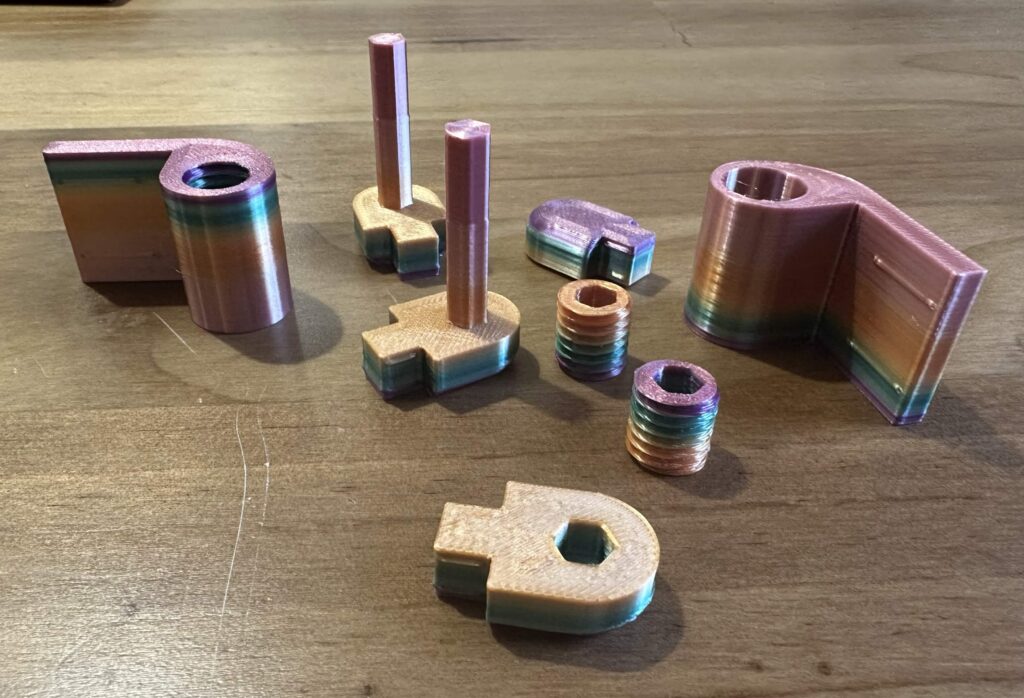
As you can see, I’ve printed them in a colour changing PLA silk, and wow they look fab. I’ve also printed the screen enclosure but I don’t have a photo of that yet.
I may reprint the lower half of the case so I can add holes for the two programming headers so I can assemble it completely and still work on the keyboard code.
I do have a 68040FE25V, which is a 25MHz 68040 CPU without FPU that runs on 3.3V, so that might be my next laptop project 😉 But I have another project I want to start first.
Page 3
A lot has happened with LT6502b since my last post.
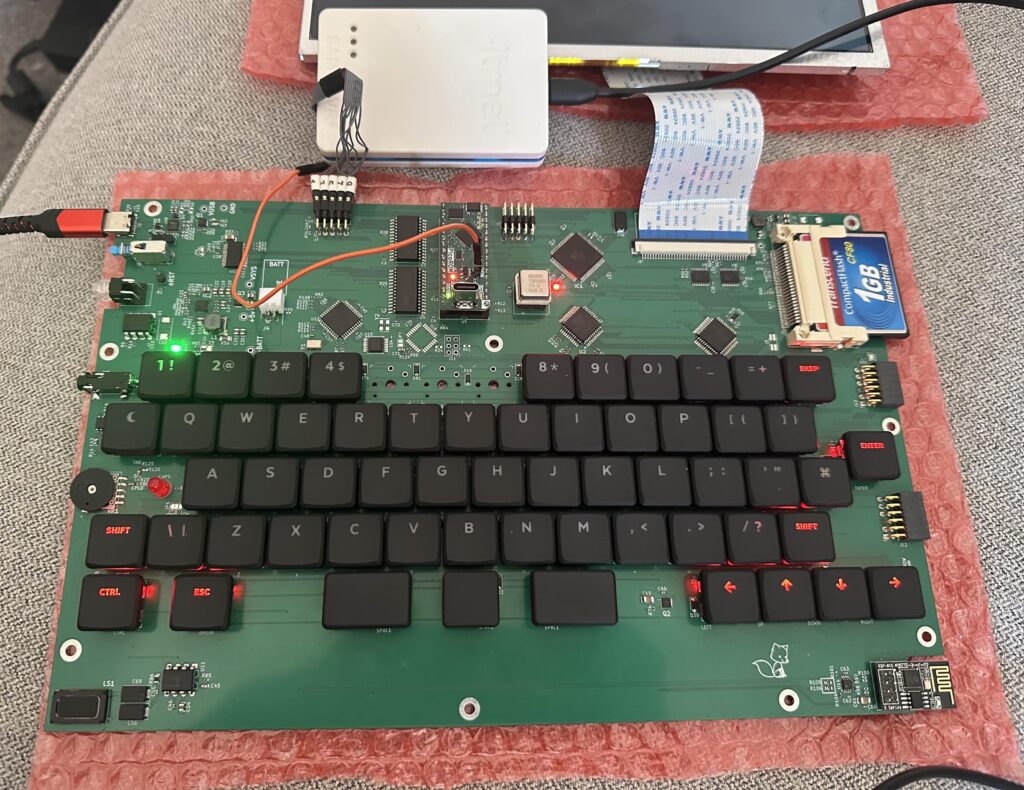
Firstly the WiFi modem is now working, I finished the UART in a CPLD and it works a treat 🙂Secondly it’s now running at 10MHz, I can’t seem to get much above that, yet.
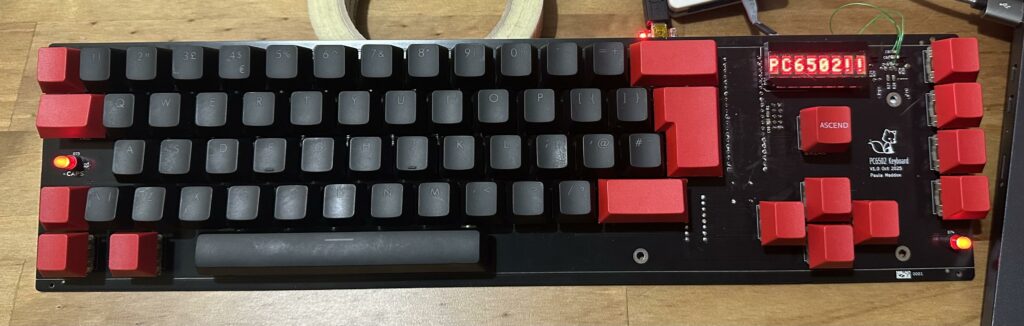
Thirdly I’ve now added the nanoSwinSID chip onto the PCB and fitted the remaining keys.
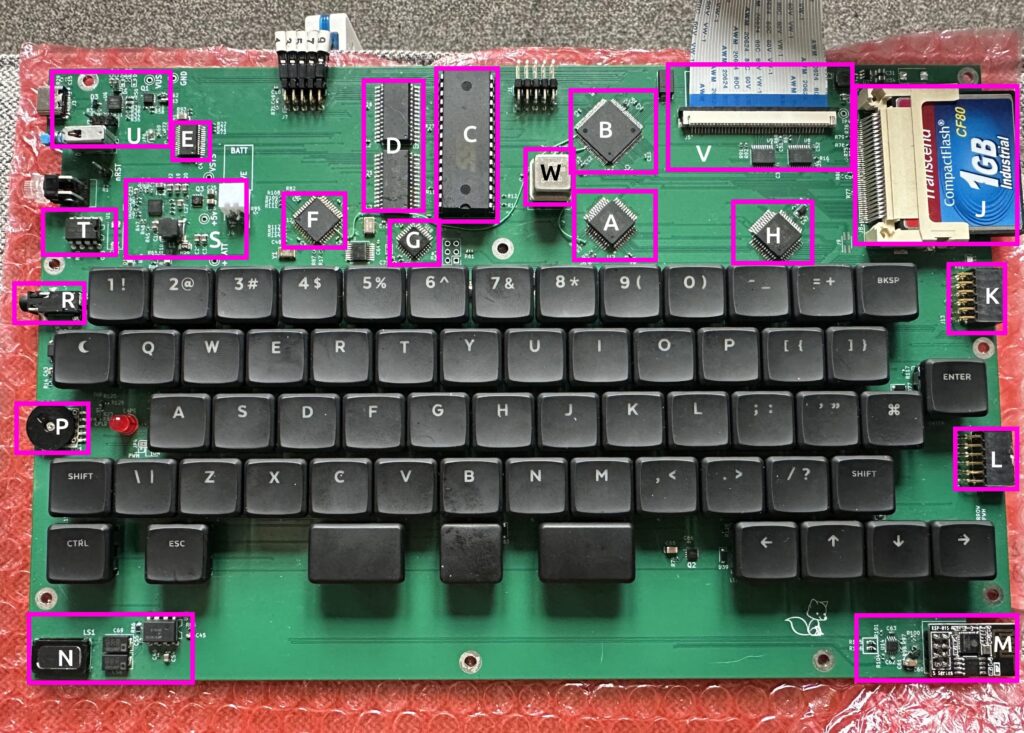
A – WDC65C02 CPU, the heart of the laptop
B – ATF1508 CPLD, this is the glue logic and address decoding for everything, it has the WIFI UART in, Clock stretching and a whole bunch of other essentials
C – SST39SF010 ROM, technically a flash ROM, this holds the “bios” or operating system, it holds EhBasic and Wozmon
D – RAM, 48K of RAM, of which the lowest 2K is for the OS to use for input buffers, load/save buffer, stack, etc.
E – FT245, USB Serial chip, this is our console and is mirrored with the display and keyboard
F – ATMEGA644, Keyscan chip, it scans the keys and sends data over serial to the CPLD, it also talks to the WiFi over serial and provides a buffer between the WiFi modem and CPLD which has no serial buffer.
G – NanoSwinSID, an ATMEGA88 overclocked running SID emulation. I’m aware these aren’t the most accurate emulations, but that’s not what I was after, I just wanted something simple to integrate that would give me more sound options than just “beep”.
H – WDC65C22, VIA chip, giving us a timer and two 8 bit I/O ports
J – Compact flash, not DOS compatible but can store 1024 programs, each up to 64KByte. Not a huge amount, but more than enough for my needs.
K/L – 8bit IO ports, arranged like PMODs but at 5V, these could easily be used as Joystick ports.
M – ESP01 WiFi Modem, very simple little thing, uses the AT command set and communicates via Serial
N – Speaker and amplifier for beeps and SID.
P – Volume control for built in speaker
R – line output for sound
S – Battery charging circuit
T – Reset Circuit
U – Power circuit for USBC-PD
V – Display interface and level shifters (3.3V switch mode PSU at top right of PCB).
W – Main clock (currently 20MHz), double that of the CPU speed, in a socket for ease of change.
There are still a couple of things to sort;
The SID output is incredibly quiet, much quieter than it should be.
“Shift” on the keyboard doesn’t yet work
The case needs finishing, I’ve held off until I was sure that I wouldn’t need drastic changes to the PCB
I would like to try and get to 14MHz (rated speed of the 65C02), I believe the ROM is making it difficult to go beyond 10MHz.
But I’m very happy with the progress. In regards the ModWires, one of these is no longer needed and the other was needed to signal to the CPLD when data is waiting to be sent from the KeyController/WiFi Modem, I’ve updated the Schematics and PCB layout in the repository.
Page 4
As much as I love my 6502 laptop, it felt a bit “chunky” at nearly 75mm deep and I really wanted a bigger screen as 9″ is a bit teeny.
So I set about improving on that and the LT6502b project is underway, The main differences are;
No expansion port
10.1″ 1024 x 600 screen
On board SID chip (nanoSwinSID)
on board WiFi Modem
much thinner (~30mm)
Things had been going very well;
Compact flash working, console working, beeper working, 6522 VIA working and display working!
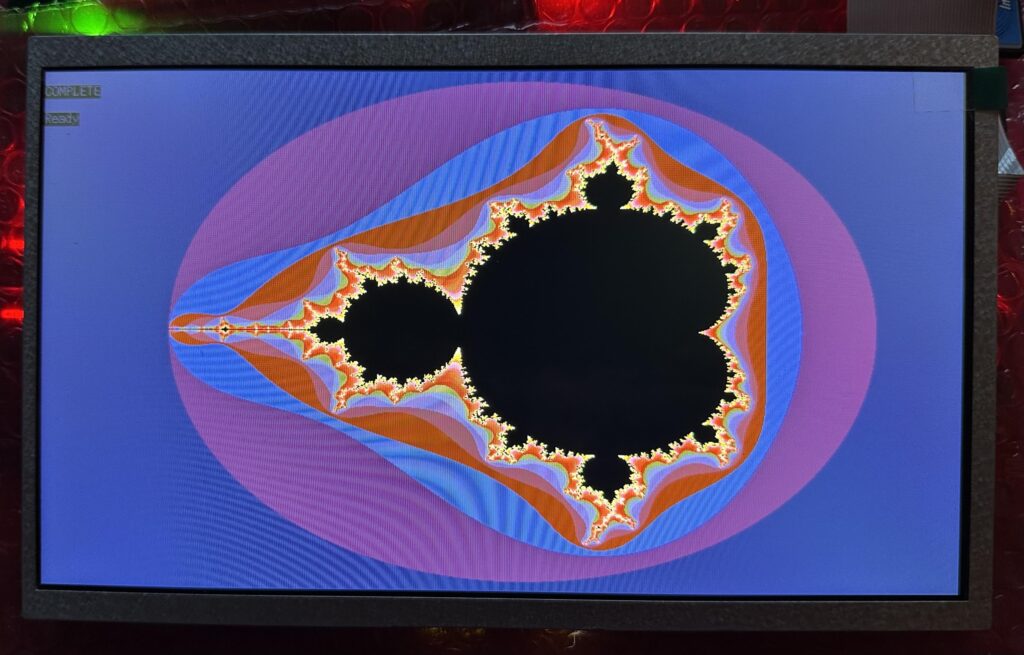
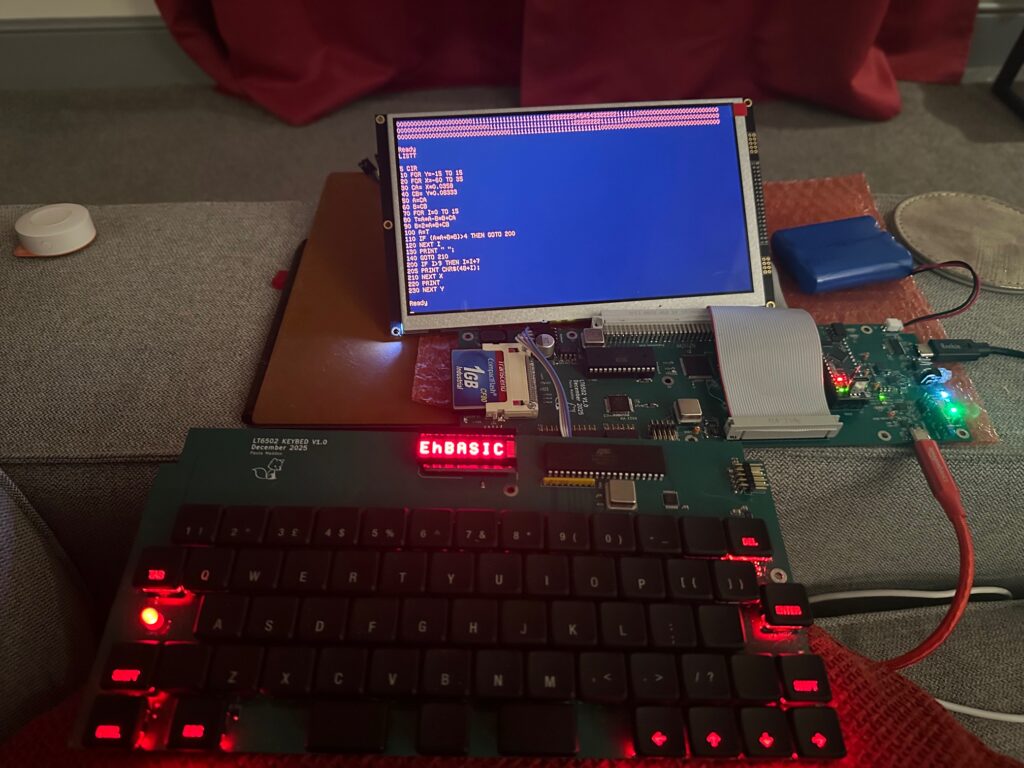
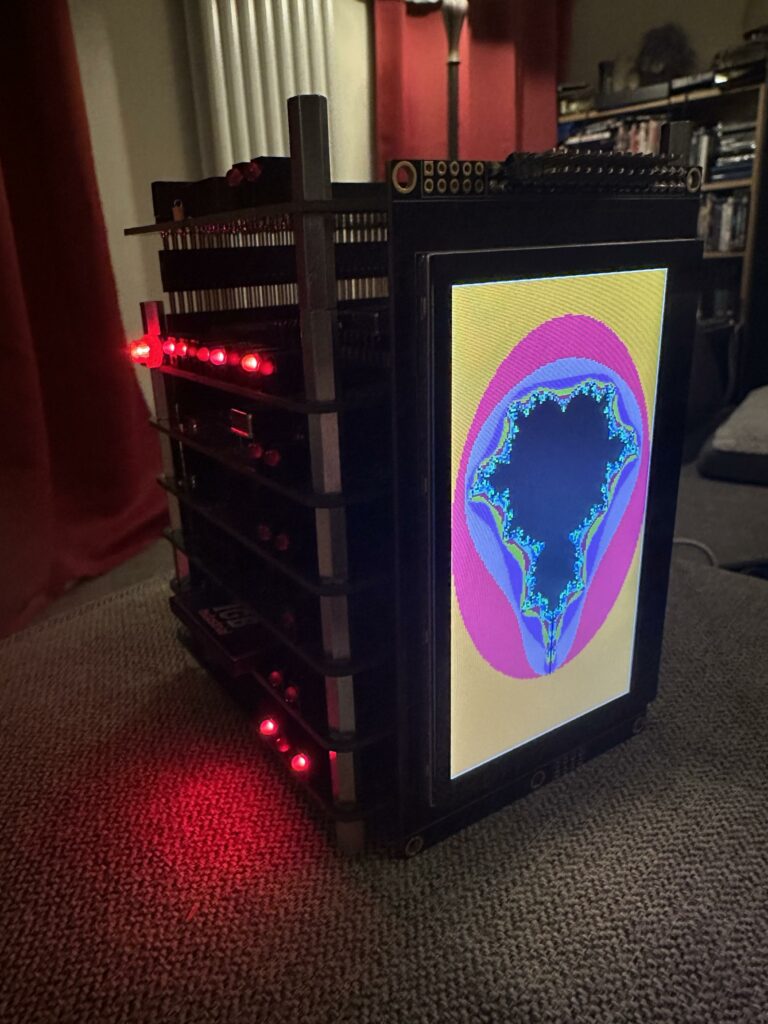
Here is a 1024 x 600 Mandelbrot with 32 iterations, looks fabulous.
Getting the screen working took the longest time, the new driver chip (RA8889) is way more complex than the previous RA8875 one, but was needed for the higher resolution/larger screen. That probably took me about 2 weeks to get working properly.
Now the problem is that I rather naively assumed that my ATMEGA644P I use for the keyboard scanning would be able to respond to a request to read data from the CPU and put it on the data bus quickly enough to work, oh boy was I wrong 🙁The AVR takes 5 clock cycles to respond to an interrupt and 5 to exit, even if I do the clock stretch thing down to 15:1 that still only leaves one or two cycles to get the data, enable the output on that port and put the data on the port… then I have to make the port input again at exactly the right moment.
The reason I did this is that I didn’t want to use the 6551 VIA as it’s only available in DIP format and that takes a lot of space on the PCB. What I should’ve done was use something like a 16C752, hey ho, lesson learned.
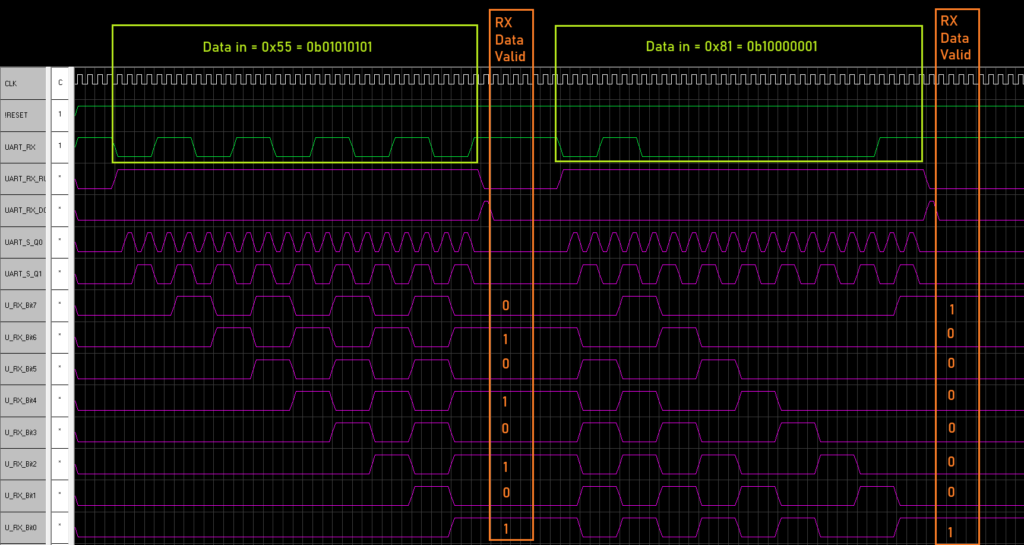
Now I could respin the PCB, but that’s extra cost, wasted time and money in getting this one to where it is. So I’m trying something different, I fortunately routed two pins to the main CPLD for control lines, these happen to be the unused UART pins on the AVR, so I’m trying to fit a UART inside the CPLD (you know I’m mad, right?).
It’s been a challenge, so far I’ve managed to get Serial data in and into a register.
But it’s been really difficult to get this far. Not having a clock to synchronise things to is difficult. I’ve not tried the transmit yet, so there is a long way to go.
If this fails then I will have to respin the PCB, which is something I really don’t want to have to do.
Also I’ve moved out of Github due to the rampant AI rubbish being pushed on people, so I’m now on Codeberg – here.
Page 5
I give you the very chonky 6502 based laptop;
It has been quite the challenge to get this up and running, the main challenges code wise were;1) Getting the screen to work, and getting scrolling to work (that was way more effort than I thought it would be).
2) Understanding EhBASIC and how it works so that I could add in extra commands.
Talking of which here are the commands I’ve added;
BEEP P,L – Pitch (P) is 0-255, length (L) = 0 to 255
CIRCLE X,Y,R,C,F – Draws a Circle, X is 0-799, Y is 0-479, R(radius) is 1 – 65535, C is 8bit RGB Value (RRRGGGBB), F is fill (0 = no fill, 1 = fill)
CLS – Clear screen (both graphic and text mode)
COLOUR <0-255> – Sets the colour (text) to 8bit RGB value, in the form RRRGGGBB
CURSOR X,Y – Sets the cursor position (in characters)
DIR – Scans the Compact Flash card and shows slot number and name for any files present
ELIPSE – X,Y,RX,RY,C,F – Draws an elipse, X is 0-799, Y is 0-479, RX is X radius, RY is Y radius, C is colour and F is fill
LINE X,Y,EX,EY,C – Draws a line, X is 0-799, Y is 0-479, EX is X end point (0-799), EY is Y end point (0-479), C is colour
LOAD <0-2047> – LOAD a file from CF
MODE <0,1> – Sets the display mode, MODE 0 is text, MODE 1 is graphics
OUTK – Outputs Text to the 8 character display on the keybed, can be a string or value, anything more than 8 characters will result in text shifting. a String will clear the display and then output the characters
PLOT X,Y,C – Plots a dot, X is 0-799, Y is 0-479 and C is 8bit RGB Value (RRRGGGBB)
SAVE <0-2047>,”” – SAVE current BASIC program into a SLOT and give it a name, upto 16 characters
SQUARE – X,Y,EX,EY,C,F – Draws a square, X is 0-799, Y is 0-479, EX is X end point (0-799), EY is Y end point (0-479), C is colour and F is fill
WOZMON – Jumps to wozmon, Q will exit WOZMON and return to basic (Handy for check chunks of memory)
The case could do with reprinting, but I’ve used up two 1Kg reels of translucent red filament and have only a few grams left, so I can’t. Next time we order some filament I may get some more and give it a go. But for my first real go at a 3D design (and a complex one at that) I’m pretty happy. I’ve learned a lot about 3D design and printing.
So, what would I do differently? a number of things;
Start the design with the keybed, it’s a bit squeezed in (I’m not happy with the placement of a few keys), basically I made the main PCB then tried to squeeze in the keyboard, oops.
Spend longer sourcing a thinner battery (this is 3x18650s), the base is very thick and this is largely down to the thickness of the battery pack.
Use an FFC for the display (this would make the display portion about 10mm thinner straight away!)
Reduce the number of smaller fiddly bits in the case. A lot of the problems I had were down to me trying to print things with 0.1mm resolution.
Add more clips for the case so it doesn’t gape in places (front bezel around the display isn’t good)
Electronics wise, I’d add an internal expansion port in addition to the slot at the front. Just for simple things.
Perhaps having some pageable RAM would be neat again, perhaps via an expansion
I’d probably do more with the USBC-PD, a buck/boost converter so I could get the most power from the USBC-PD, instead of forcing USBC-PD to 5V and then requesting various currents, I’m missing an opportunity to get more power, change charging speed, etc.
Software wise, I would’ve liked to get a FAT16 implementation working, but that’s honestly a bit beyond me and the FAT32 examples seem to use a LOT of ROM (>8KByte).
I would also have liked to get the 10″ screen working as the 9″ is a little small, however it uses a different driver IC which has very little in the way of documentation sadly.
The onboard RA8875 display driver is connected via 8bit parallel bus and works great, it’s very quick to do things like lines, circles, elipses, squares, etc. It can be a bit fiddly to get working, but when it works, it’s great.
Next I want to add a wifimodem (front expansion slot) and possibly some kind of FPU for speeding up the math I want to do with this (mostly fractal experiments).
I will try and do a video at some point, not sure when, I’ll post a link here when I do.
Page 6
Building on the PC6502 system I decided to make a laptop 6502 system. I think there’s something nice about having a portable retro system that is fully self contained.
It’s going very well so far. It’s been quite a steep learning curve. I’ve been remembering the 6502 assembly coding I did back in the 1980s, slowly remembering.
It’s been fun to bring the system up one bit at a time, starting EhBASIC, getting teh display working, the beeper and compact flash.
So here is where I’m at;
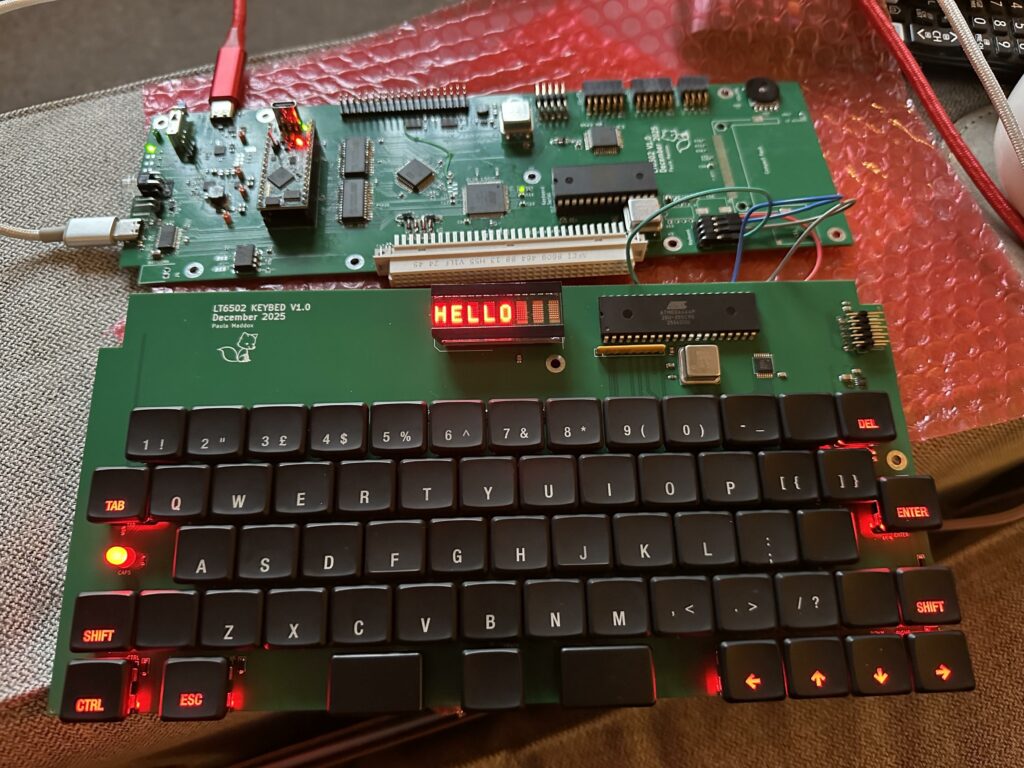
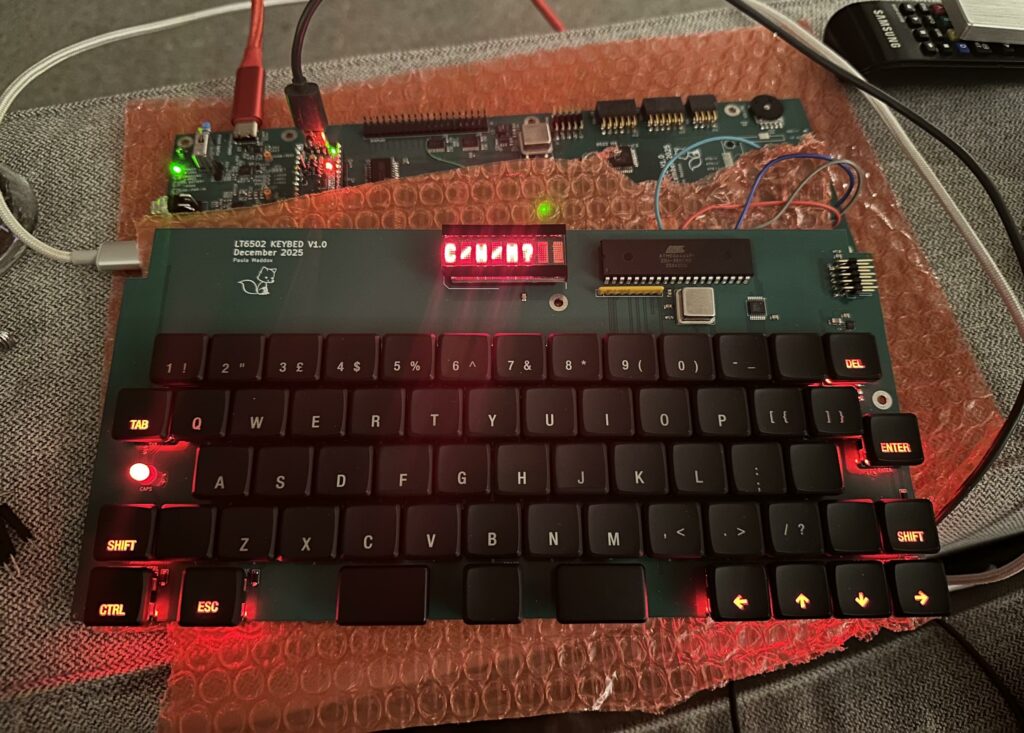
Here was the test of the comms with the keyboard, a simple “HELLO” from basic, which is being controlled by the console port (left hand side).
Next was getting the boot menu to ask if you wants a Cold, Warm or Monitor boot.
The really big milestone was getting the screen working. This was a lot of work, but so worth it. There were very definitely moments where I didn’t think I could get it working. Getting the scrolling working was probably the hardest. But I got it in the end.
I am really pleased with this, oh and the colour I chose as I find the amber easy on my eyes.
I’ve also been playing with some math functions to generated images.
This shows the colour really well, The screen is 800 x 480 pixels and is 8 bit colour.
I’ve also added a bunch of extra commands to basic;
BEEP <0-255> – Beeps at a variable pitch, higher number gives a higher pitch
CIRCLE X,Y,R,C,F – Draws a Circle, X is 0-799, Y is 0-479, R(radius) is 1 – 65535, C is 8bit RGB Value (RRRGGGBB), F is fill (0 = no fill, 1 = fill)
CLS – Clear screen (both graphic and text mode)
COLOUR <0-255> – Sets the colour (text) to 8bit RGB value, in the form RRRGGGBB
DIR – Scans the Compact Flash card and shows slot number and name for any files present
LOAD <0-2047> – LOAD a file from CF
MODE <0,1> – Sets the display mode, MODE 0 is text, MODE 1 is graphics
OUTK – Outputs Text to the 8 character display on the keybed, can be a string or value, anything more than 8 characters will result in text shifting. a String will clear the display and then output the characters
PLOT X,Y,C – Plots a dot, X is 0-799, Y is 0-479 and C is 8bit RGB Value (RRRGGGBB)
SAVE <0-2047>,”” – SAVE current BASIC program into a SLOT and give it a name, upto 16 characters
WOZMON – Jumps to wozmon, Q will exit WOZMON and return to basic (Handy for check chunks of memory)
The screen has a clever driver on it and has hardware acceleration for things like circle, line, square, fill, etc. which makes doing these things really quick.
Now I’ve started working on the case, oh boy that’s a real challenge but it’s getting there, slowly.
So, yeah, I have a thing for transputers, don’t ask me why, I don’t know. I’ve always been fascinated….
Anyway, I finally managed to get some reliable and repeatable comms between my 6502 tower and a T425 TRAM.
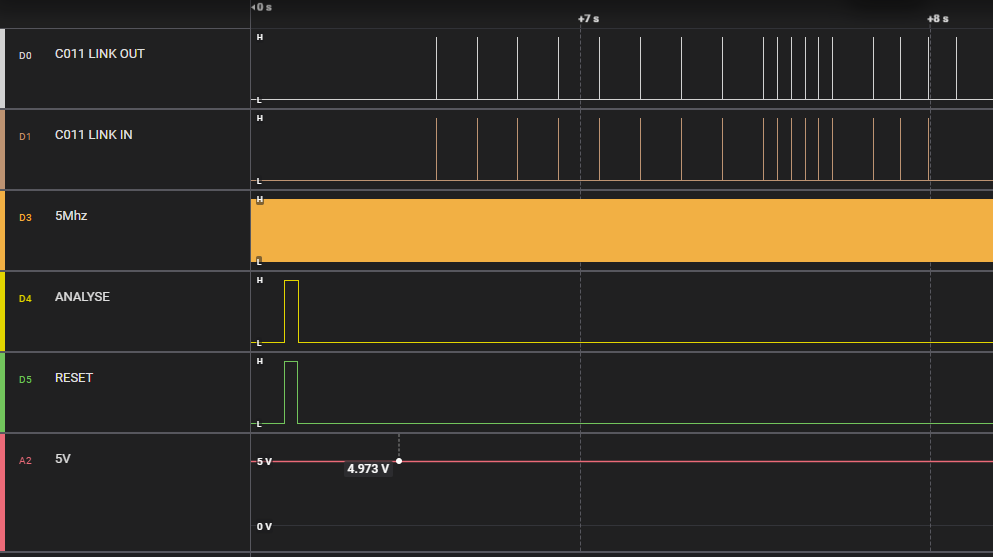
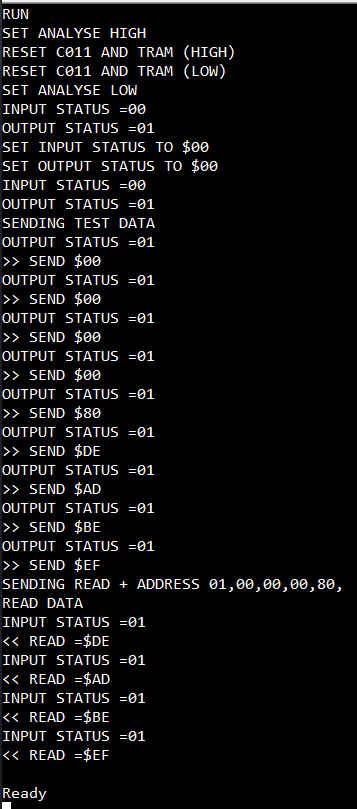
Here you can see the data going out, and coming back in! In this case writing 0xEFBEADDE to address 0x80000000 (T425 internal RAM). Now this was supposed to be 0xDEADBEEF, but of course, the transputer is little endian. Anyway, output from BASIC program is below;
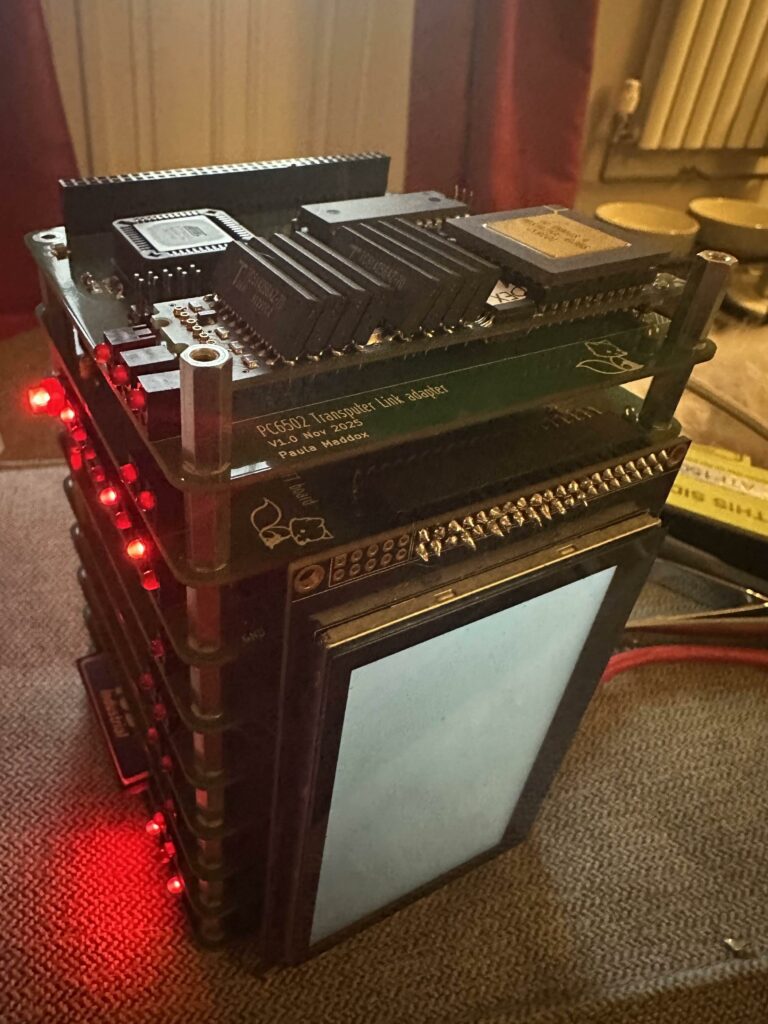
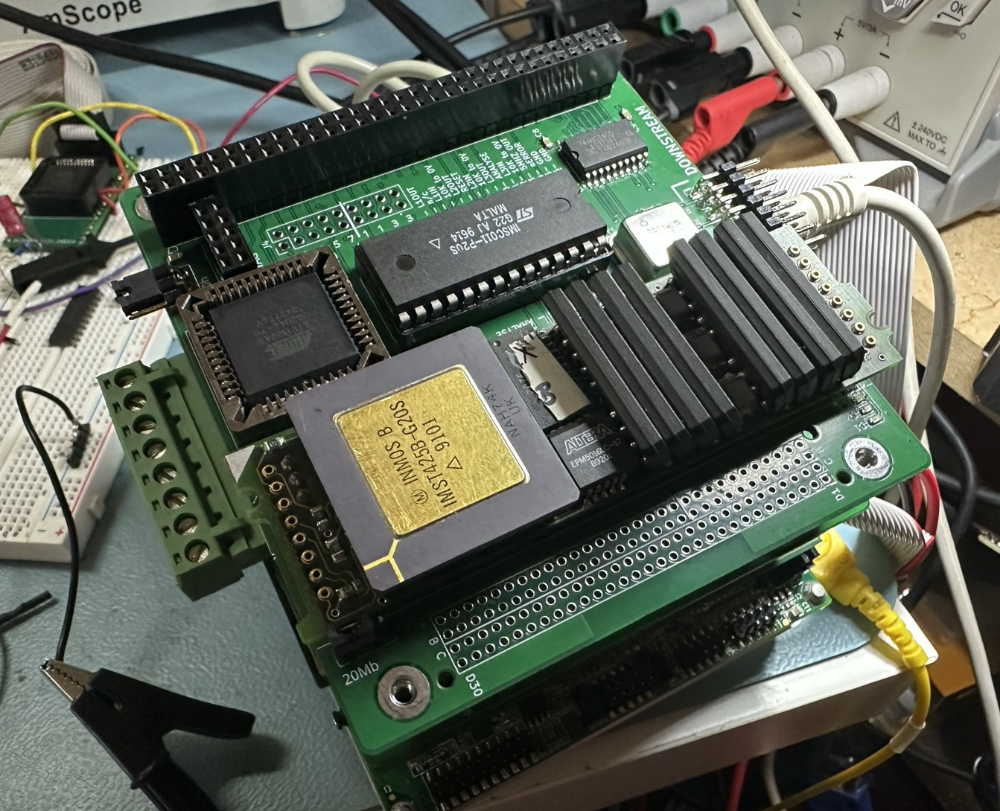
I’ve tried this with the 4 TRAMs (Transputer Modules) I have and they all work!. Here is the tower with the link adapter and a single TRAM on top.
It does get a bit toasty, and needs more power than my regular USB A can provide, so I have the USB-C plugged in to the USB PD port on my 6502 tower and I get a nice 4.97V (without this I get 4.6V).
I also have a pile of T414 transputer chips (not as much internal memory as the T425) given to me by someone at work who was clearing out their loft (thank you!), which you can see here –
So I need to make some kind of system for these and the other 4 to go into 🙂
I’m not exactly what form that will take yet, but you know it’ll have blinky lights on, it’ll also need a beefy PSU and probably a FAN. Each of these pulls nearly 1A and kicks out 4W. so 16 in a box is nearly 64W of heat and power!
But I need to be able to get some simple code running first, so that will be the next thing I work on for the PC6502 🙂
Page 8
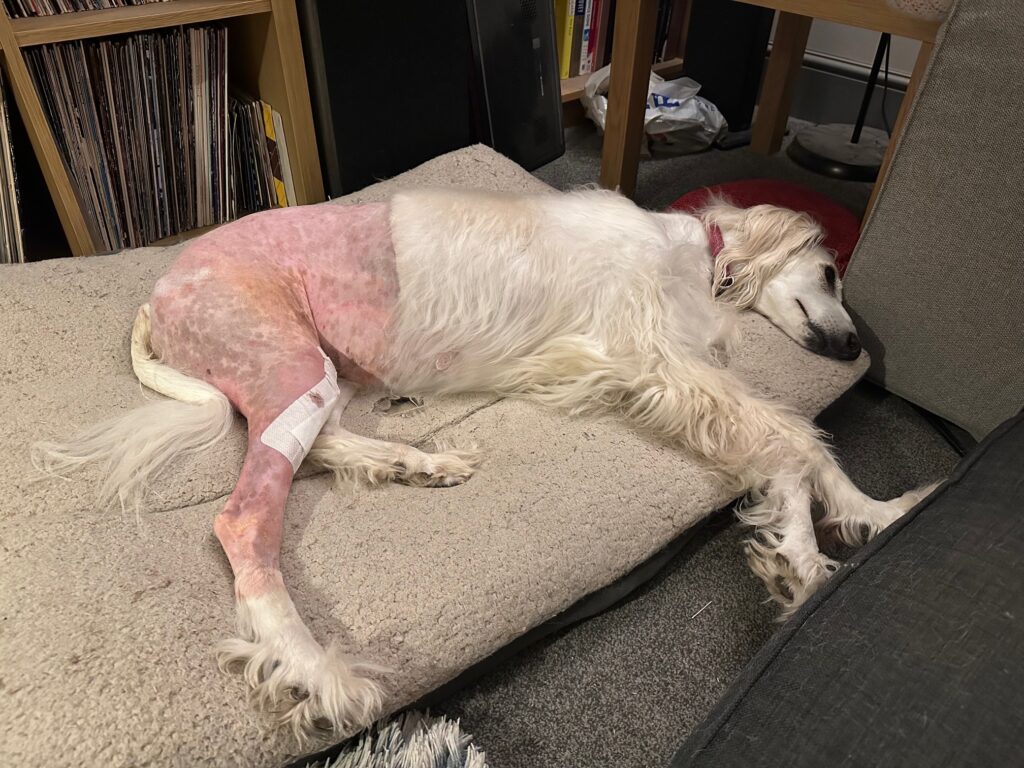
I have been tinkering with various bits of the PC6502 computer system in between looking after Suzi (who is getting better slowly, but we still have a couple of months of hard work ahead of us).
Previously I was able to show the OPL3 Sound and Speech card working, Here is an updated video of it playing a tune 🙂
Next I managed to get the display working, this is a 480×272 screen, it has built in fonts and a bunch of features line circle, line drawing and filling, so I can do a bunch of cool things as I go forward with it.
I’ve not figured out how to rotate it yet, but that should be fairly straight forward.
And, of course, I had to do a mandlebrot as I now have colour!
The other things this board does is provide a 6551 serial interface to connect a keyboard to, which I’m now happy to say is working.
I’ve not yet integrated this into the firmware, so you can peek/poke from BASIC and it behaves fine.
Next I’m in the middle debugging a transputer link interface for it. Because, why not? It’s not fully working yet, I need to tweak the timing of the access to the Inmos C011 Link adapter IC. But it’s getting there.
The stack as it stands (top to bottom) is;
Inmos C011 Link adapter (with space for a single Transputer TRAM)
Display/Keyboard card
6502 CPU board (with ROM/RAM/console)
6522 VIA (B)
Speech and OPL3 sound card
Dual SPI card
6522 VIA (A)
Compact Flash
Power supply card
Now, all this got me thinking…..
I have a 6502 running EhBASIC, a graphical/text display a keyboard, via and compact flash. So what if I made a laptop?
So, well, errr, I have begun that. Here are some renders.
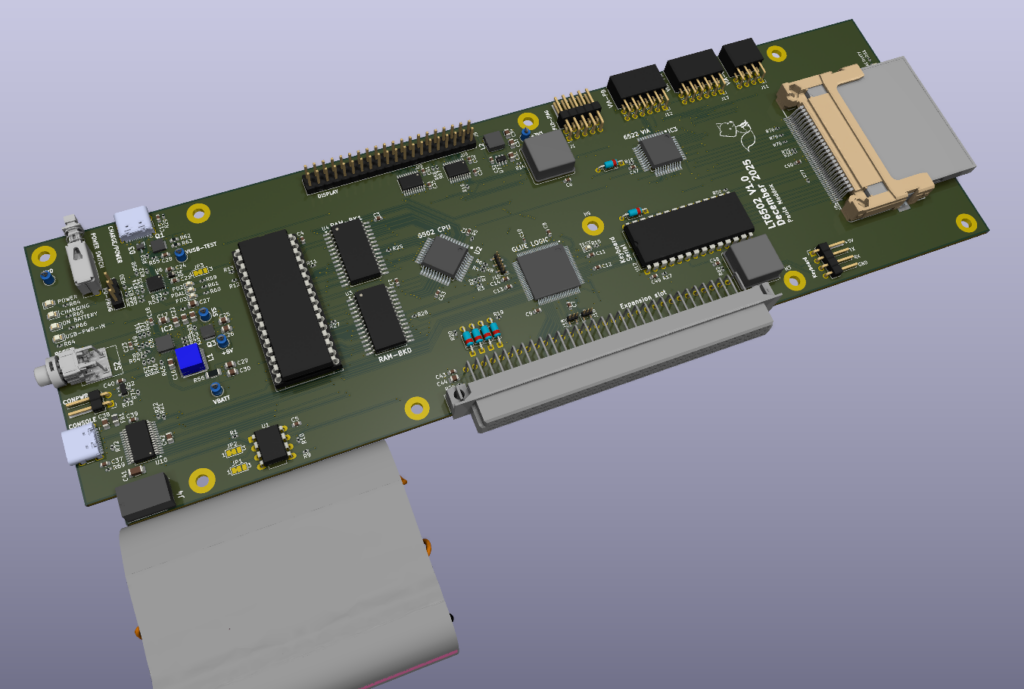
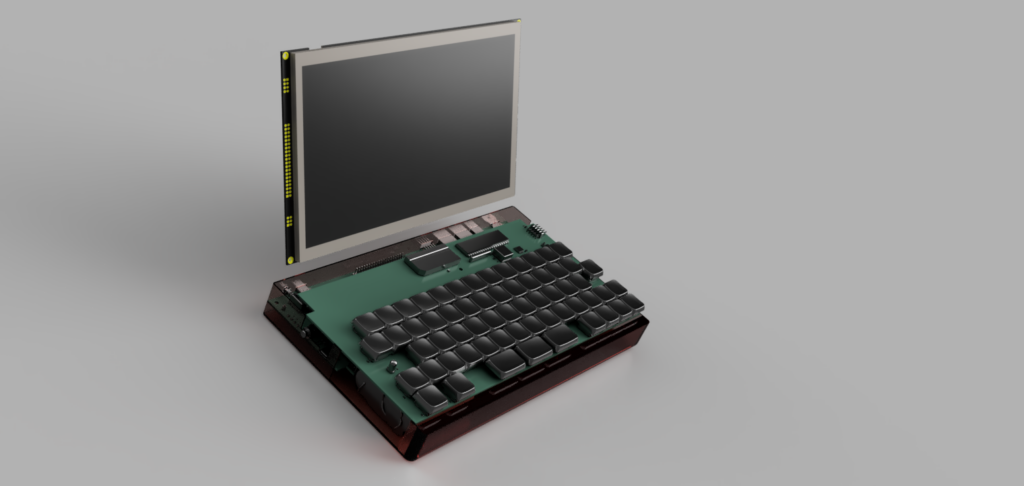
First here is the main board, with CPU, ROM, RAM, Console port (USBC), Serial port (6551), compact flash, VIA and also battery and charging circuit. Oh and an expansion connector.
The keyboard (below) sits on top of this and slightly forward so it sits above the battery.
So, we of course need a screen, this time 10″, 1024 x 600 and it should work something like this
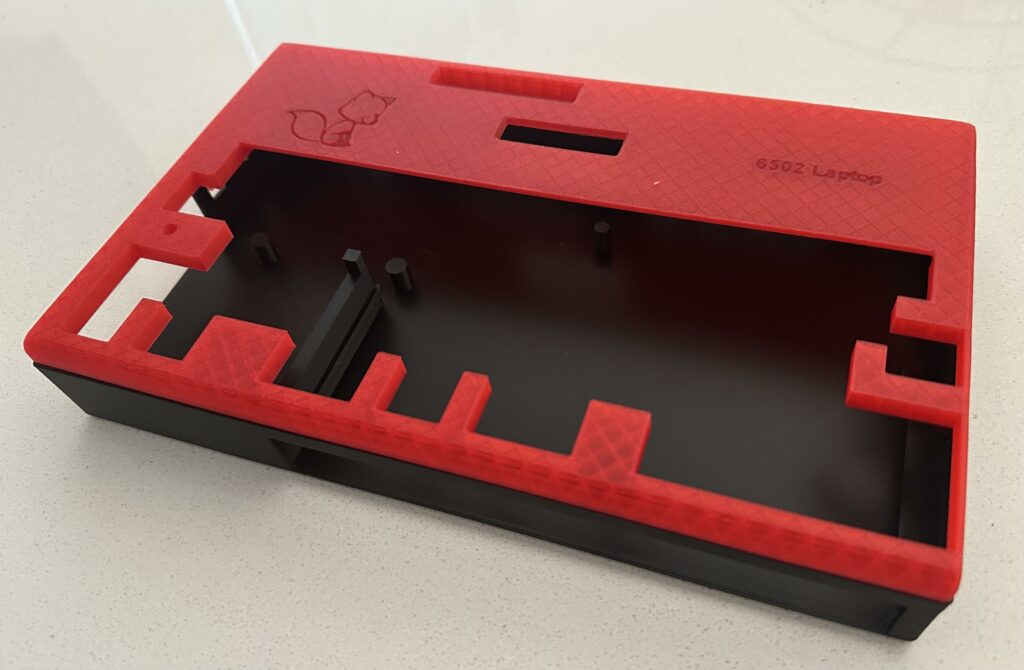
And here is 3D print of the first part of the case (lower part in black, upper in translucent red);
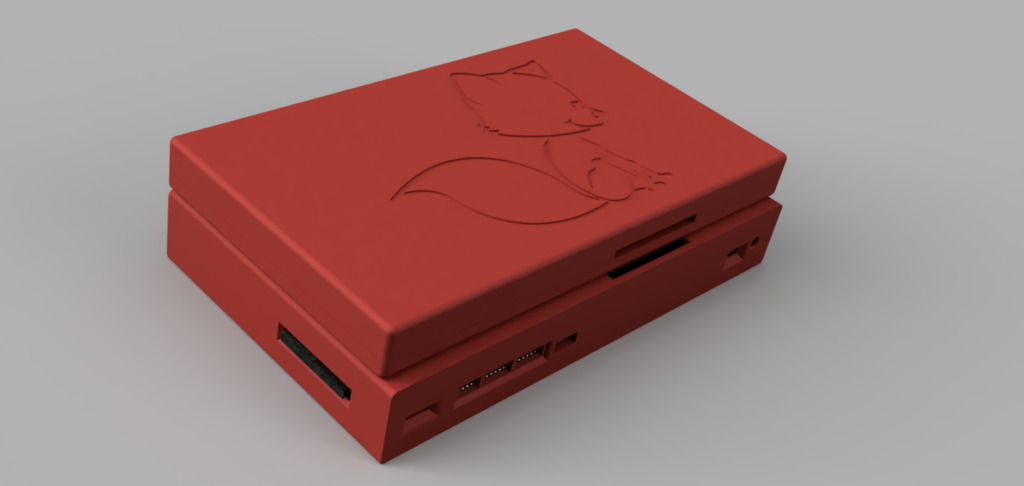
And here is a render of the whole thing with the lid closed (viewed from the rear left).
You can see the compact flash card on the left, a slot for the volume control thumb wheel, VIA ports, JTAG port for main CPLD Glue Logic and USB port for charging. The long hole on the top of the base, and back of the lid, is for the 40 pin IDC going between the base and the lid for the display.
Now I’m not a mechanical engineer, so this isn’t “sleek”, it’s about 50mm thick in total. The bit I’m struggling with at the moment is the hinges. What I need are “torque” or “friction” hinges. I’ve worked out I need something around 0.3Nm (based on an online calculator I found). Now finding these is proving extremely difficult and trying to find them with drawings/models is adding to the challenge.
I have ordered the PCBs for the 6502 Laptop, so whilst they’re being made I can work on locating suitable hinges.
Page 9
Just after my last post our beloved Suzi Saluqi tore a ligament in her leg, she was in a lot of pain (she never makes a sound but oh boy she did this time), we took her straight to an emergency vet, got her something to help with the pain, next day we went to a vets to have it looked at and yes she needed surgery, a week later she had surgery. This was very traumatic for her, and also us, this was the first night she would be away from us in over 3 years.
Suzi has been very good and is recovering well, she’s now able to walk again and we have physio to do three times a day as well as massage. It’s going to be after Christmas before things can start getting back to normal.
This has also taken a huge emotional toll on my mental health resulting in me being exhausted the majority of the time.
So I’m hitting pause on everything until she’s better, I may tinker as and when, but for the most part looking after Suzi is my top priority.
Page 10
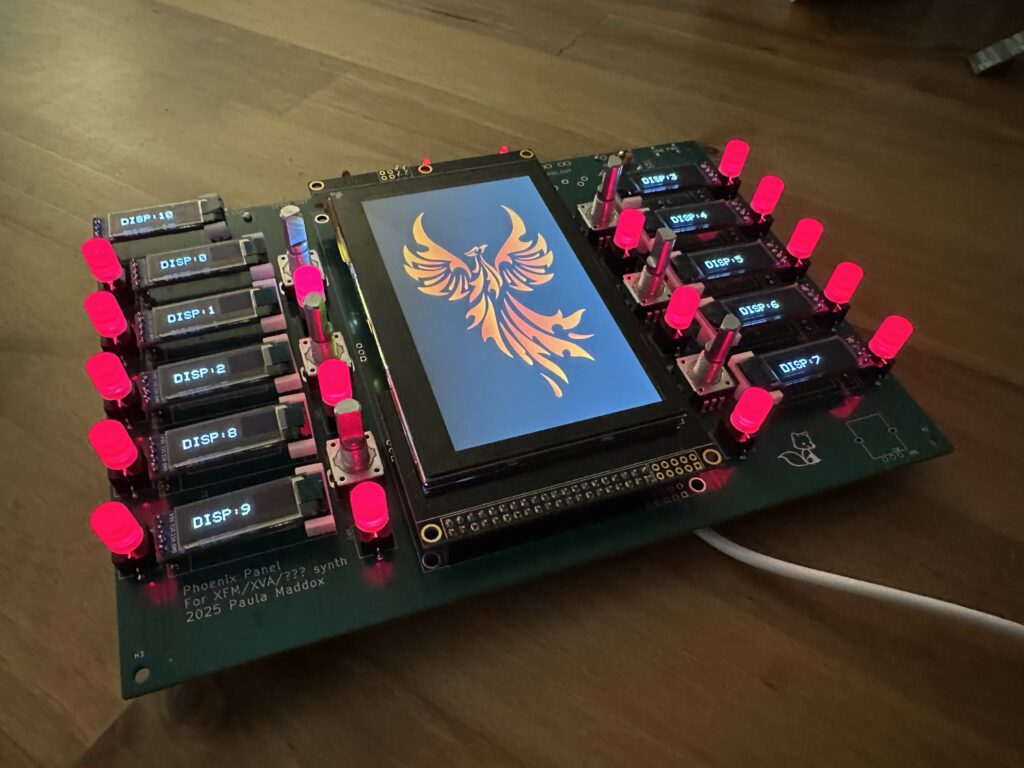
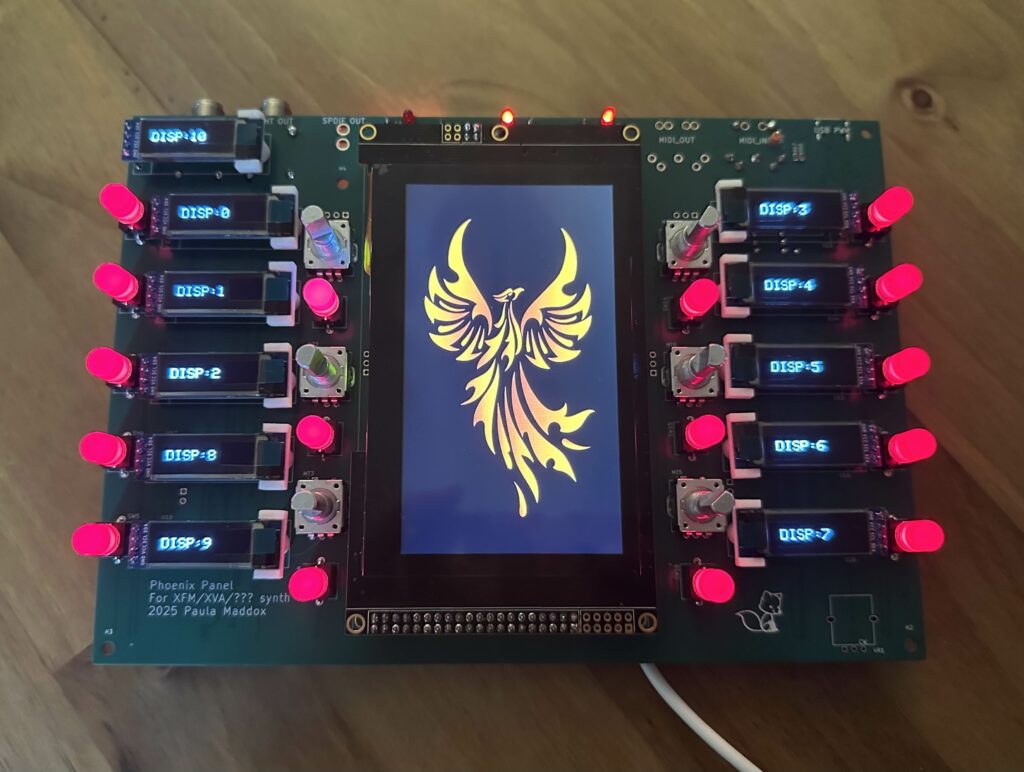
Having had a couple of months break from synths I decided to pick up an old project (early 2025) and start work on it.
This is user interface for the rather excellent XVA1 (or XFM2) from Futur3 Sounds so there is nothing of mine sound engine wise in there, so this is a step to getting back into making my own synths.
We have a 480×272 TFT with touch screen, 11 OLED displays, 6 rotary encoders, 16 buttons (with LEDs) and a pot for volume (not fitted above).
The touch screen is working as are all the OLEDs and buttons. Also the rotary encoders are working.
On the back is a teensy 4.1 driving all the displays and front panel. There’s also the CMOD-A7 FPGA and Adafruit DAC. Additionally there is audio outs (1/4″ and SPDIF) and finally a USB-C PD power input to power the whole thing.
Next steps are to make a simple MIDI note player so I can sit on the sofa near my partner and my dog and work on it.
I’m still feeling very lost as to what I want to do with my life, I’d love to make synths for a living, but in all honesty it’s really unlikely to happen and I’m struggling with accepting that.
Page 11
In my previous blog entry I posted about the 6502 computer PCB I made, since then a lot of progress has been made. A lot.
Firstly the timing issue has been overcome, the 6502 will now happily run at 14MHz (tested up to 17MHz), the issue was that the way I had implemented the logic in the CPLD for the FT245 serial port was messed up. My partner, Jayne, helped with that and found the issue.
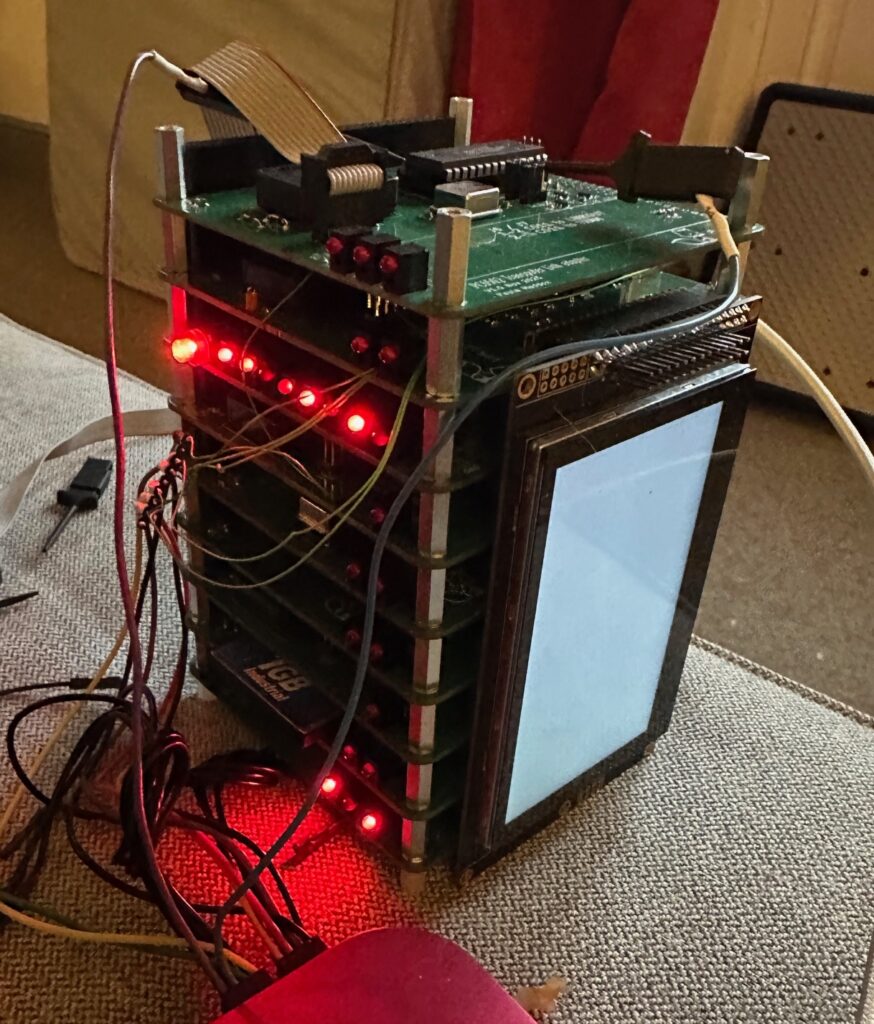
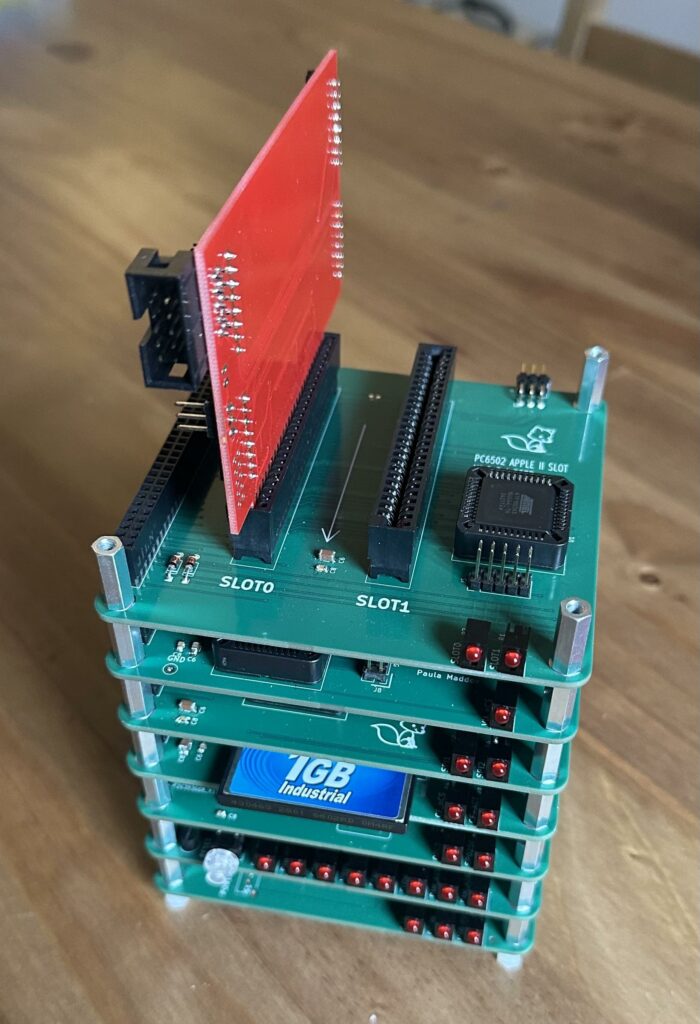
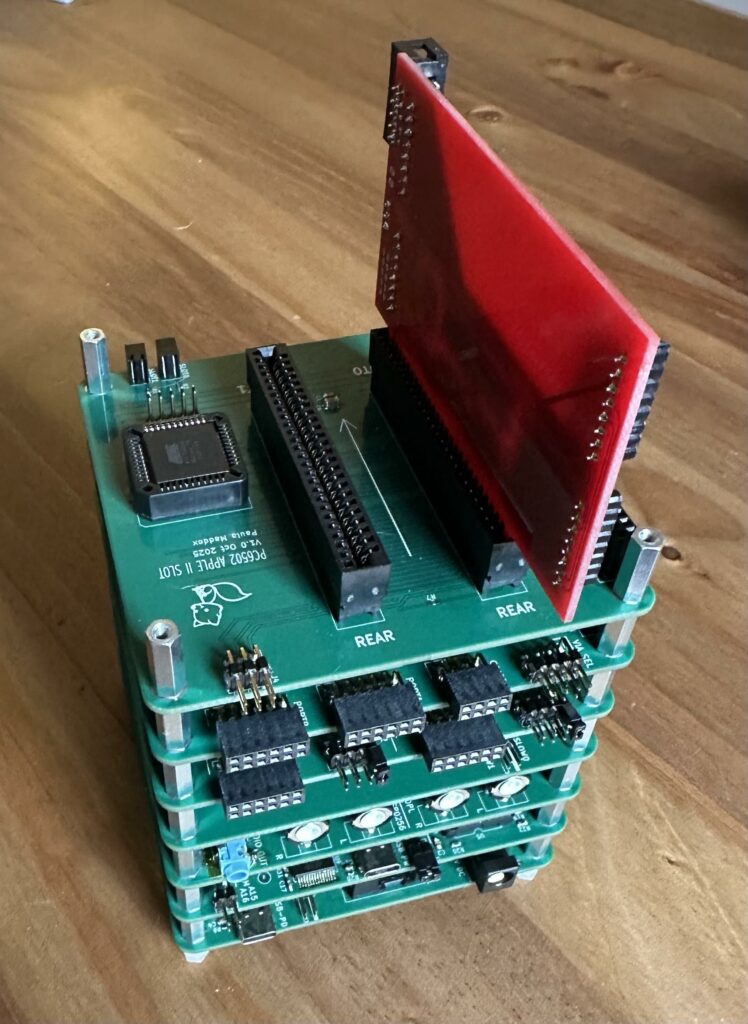
I’ve also added a whole bunch of different PCBs, so here’s a couple of pictures;
So bottom to top;
Power supply PCB – This gives me up to 15W from USB-PD or if you used an external 9V-36V DC power supply you can have up to 50W (more on why later)
The 6502 CPU Card – The 6502 (currently running at 10MHz), ROM, RAM and USB C serial port for console
The FM Speec card – The has an OPL3 FM engine on board (YMF262) and an allophone speech synth chip (SP0256-AL2).
The Storage card – this gives 8 bit access to Compact flash cards
Dual SPI card – this is taken from Dayrl’s 65SPI2 project All I’ve done is pop two of these on the PCB and add some address decoding.
65C22 VIA card – a simple 65C22 based VIA card, allowing 2 ports of 8 bit input or output (or any mix).
Apple II slot card – This provides two apple II style slots (but not all of the power rails, and a different address)
In the top is a a T2A2 transputer adapter card fro, Geekdot.com and this is why having higher power is essential. Each TRAM (Transputer module) needs about 800mA, I plan to have 4 TRAMs.
Aside from the Apple II slot everything is working a treat.
Here is a demo of the allophone and FM card (it took me ages to get a single tone from the FM engine);
Next steps with this are, a keyboard and keyboard interface (not PS/2). And a small display so that I can put graphics on.
Then there is a lot of software that needs writing, saving and loading to the CF card (currently raw data block read/write work), input from the keyboard and of course output to the display.
I am saving space in my memory map for a VideoBeast from Feersom which should make this quite a complete system. Then it’s just writing some apps for it, things to do raytracing, mandlebrot and maybe a few simple games too.
Most of all this has been a really fun project and nice break from synthesizers. A bit like a holiday.
Page 12
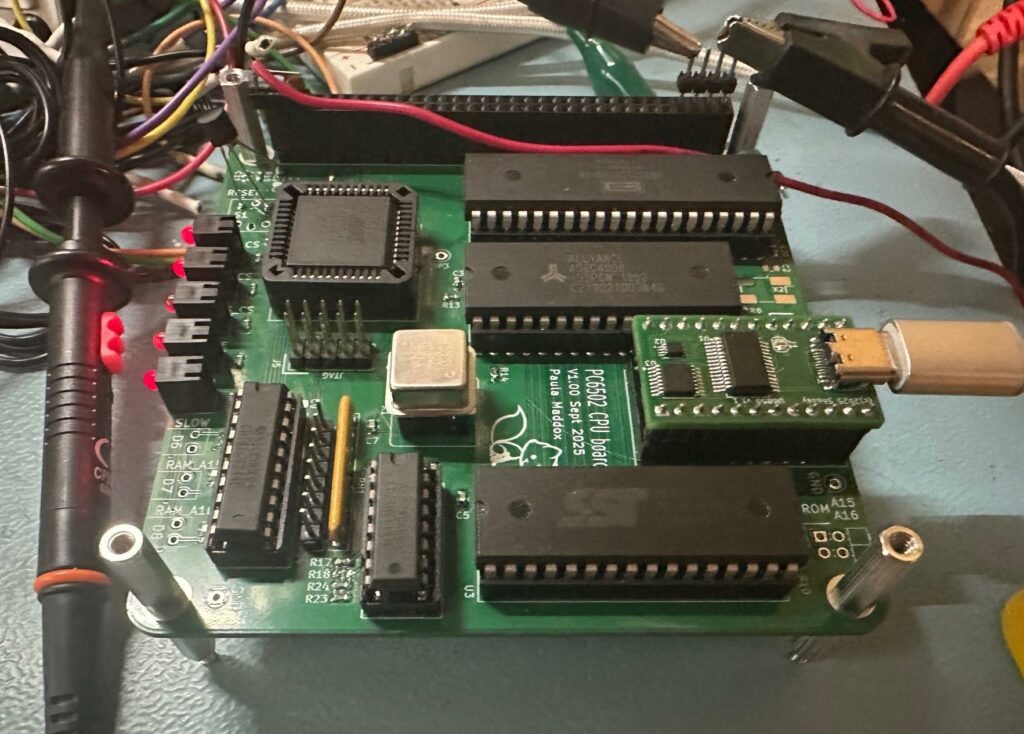
Well the PCBs arrived and I decided to build up the CPU one slowly, not building the full thing. I’m glad I didn’t.
Eventually after a lot of messing around with CPLD and ROM code I got something booting, it’s the Grant Searle ROM, but it worked. The sticking point seems to be serial comms.
After much digging I discovered that the data on the data bus isn’t valid until 25nS after the clock edge, not a problem for older chips, but for the FT245 I’m using for the serial port it’s a problem. So after delaying the clock for the write a little I got some progress.
So there are a few bodge wires (underside) and a cut track or two. But, it does seem to work with a 4MHz crystal and the CPU running at half that, 2MHz. So it works, but for a 14MHz CPU, it’s not great.
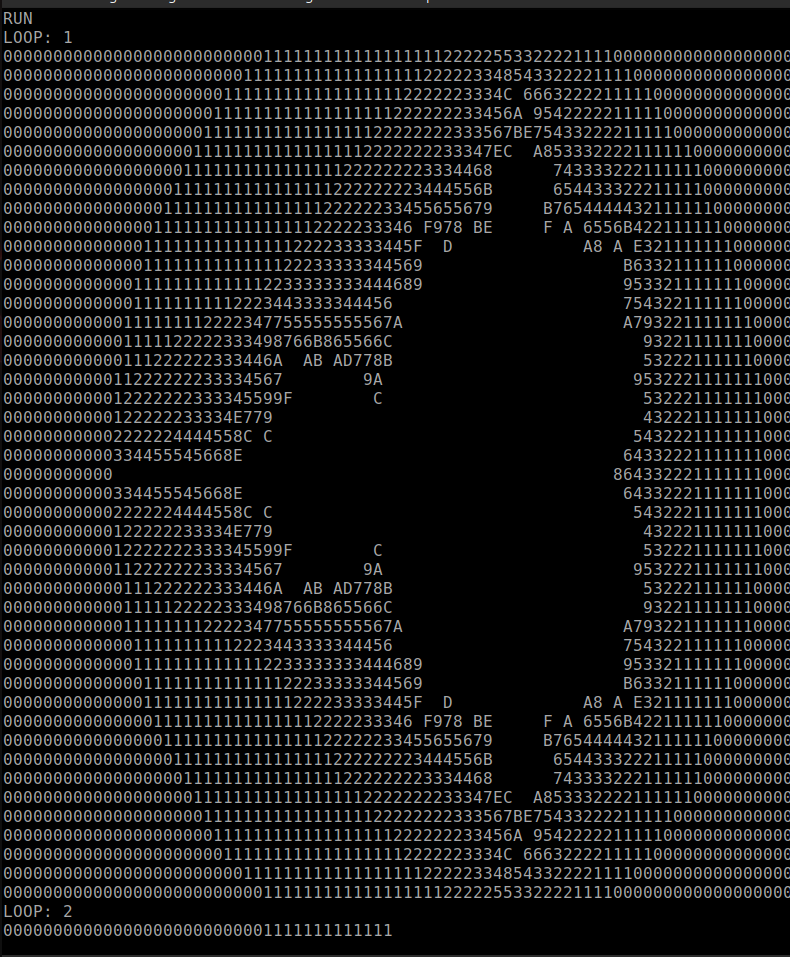
Here is a basic Mandlebrot output (0 to F or blank).
However, it isn’t always consistent or stable. So I’ve made a new version of the PCB, this time I’ve brought the FTDI control pins direct to the CPLD, and I’ve done away with the discrete clock stretcher, again bringing the pins to the CPLD. This means I should be able to more precisely control the timing, and critically be able to make changes/tweaks to improve it.
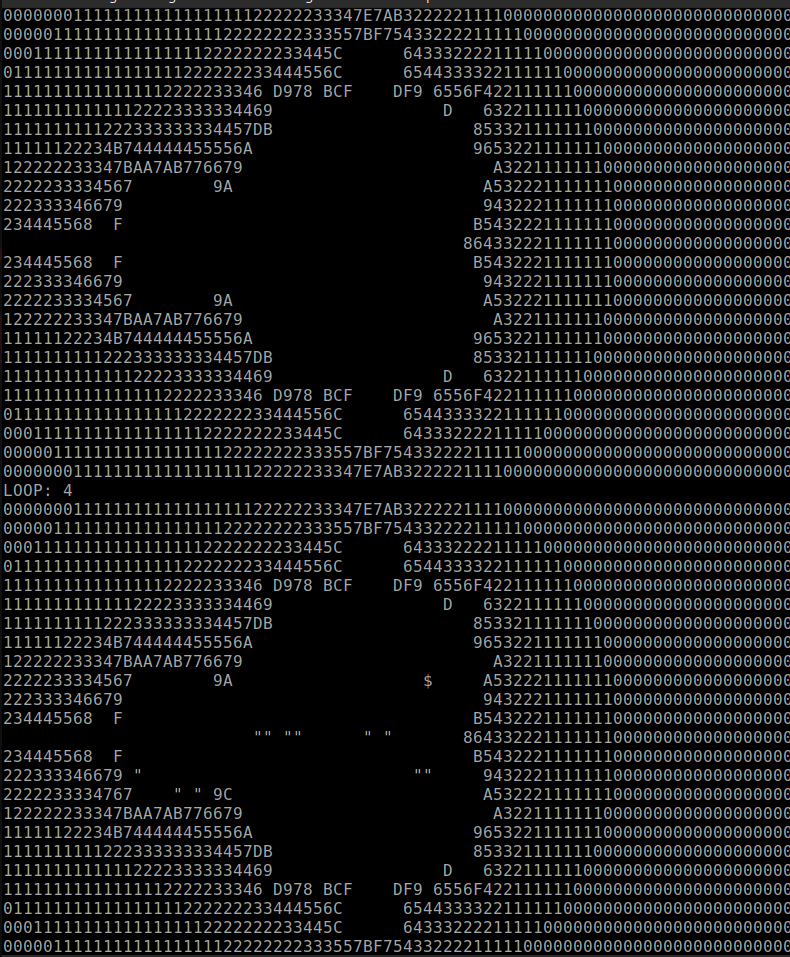
Here is an example of the corruption on the serial terminal, it seems to only be on the serial terminal, but as I can’t run it fast yet I don’t know if there are other timing issues yet.
You can see the ” and $ where there should be a space.
Hopefully the next version will resolve this. You can find the files in my GitHub, but I take no responsibility for you losing your sanity trying to make this work.
Page 13
It’s been a while since I wrote, a lot has been going on.
Firstly, the Transputer saga, I got a PCB from Oscar Toledo (https://github.com/nanochess/transputer) and confirmed that my TRAMs did indeed pass the tests with his card. However they did not with mine. Then I discovered that somehow none of my TRAMs worked with Oscar’s or my card. Very disheartening. So I’ve paused that for a while, there’s only so much failure you can take before you have to stop something for a bit.
In the world of synths it seems things are slowing down globally, in part due to an orange womble in the USA. I have to admit that I’ve also kind of lost my mojo for synths for the moment. That Investor? the one I spent hours on email and calls with? the one I picked up and drove to a good friend of mine to demonstrate Delta to, the one I went out of my way to spend yet more money and change the VCFs to do what they asked for? Ghosted me, not once, not twice, three times. So I’ve paused that for a while, there’s only so much failure you can take before you have to stop something for a bit.
My mental health and health have taken a battering. My mood dropped enough for me to start seeing a counsellor again. Physical health wise I’m pretty much exhausted all the time, I mean like can’t sleep enough. I struggle focus and have headaches.
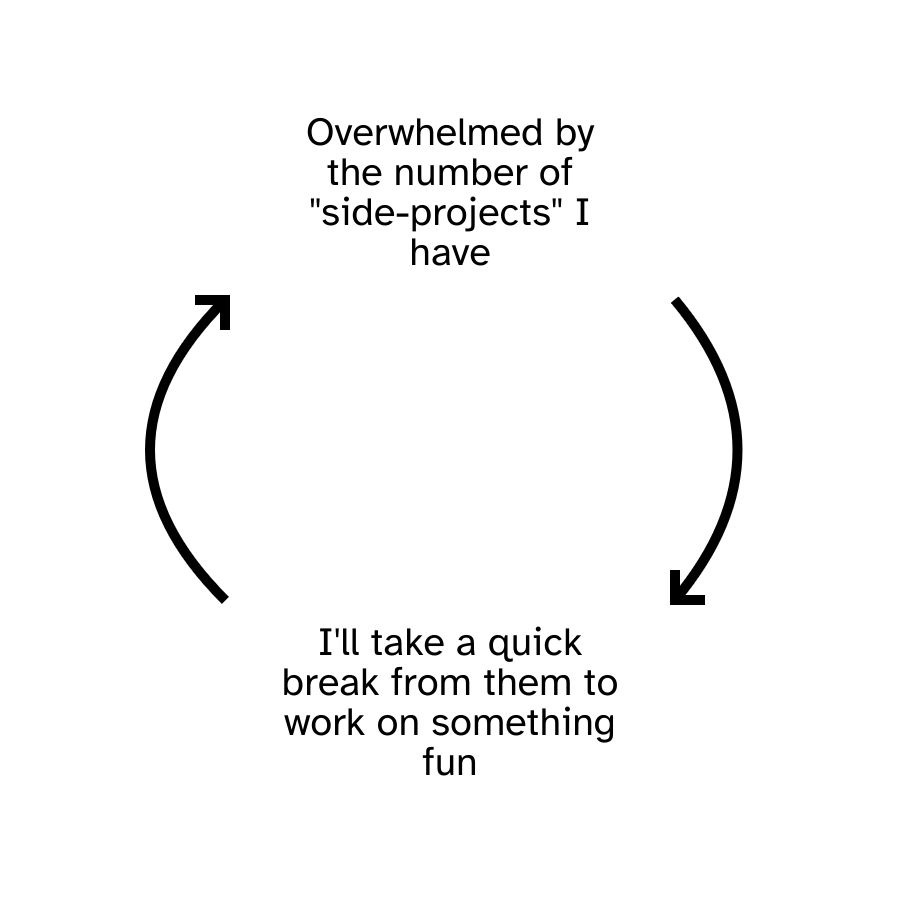
My partner sent me this one day…. very apt, very me…
And so, true to the above, I decided I needed something to do (I can’t sit and do nothing), so I started making a 6502 computer. Just for me, just for fun, in simple small steps. Hopefully I will succeed in making this at least boot and run BASIC. I need a win, I need a win badly.
I have put the project in github, along with warnings about the state of it – https://github.com/TechPaula/PC6502. Boards have arrived, I don’t know when I’ll have the beans to make them.
Page 14
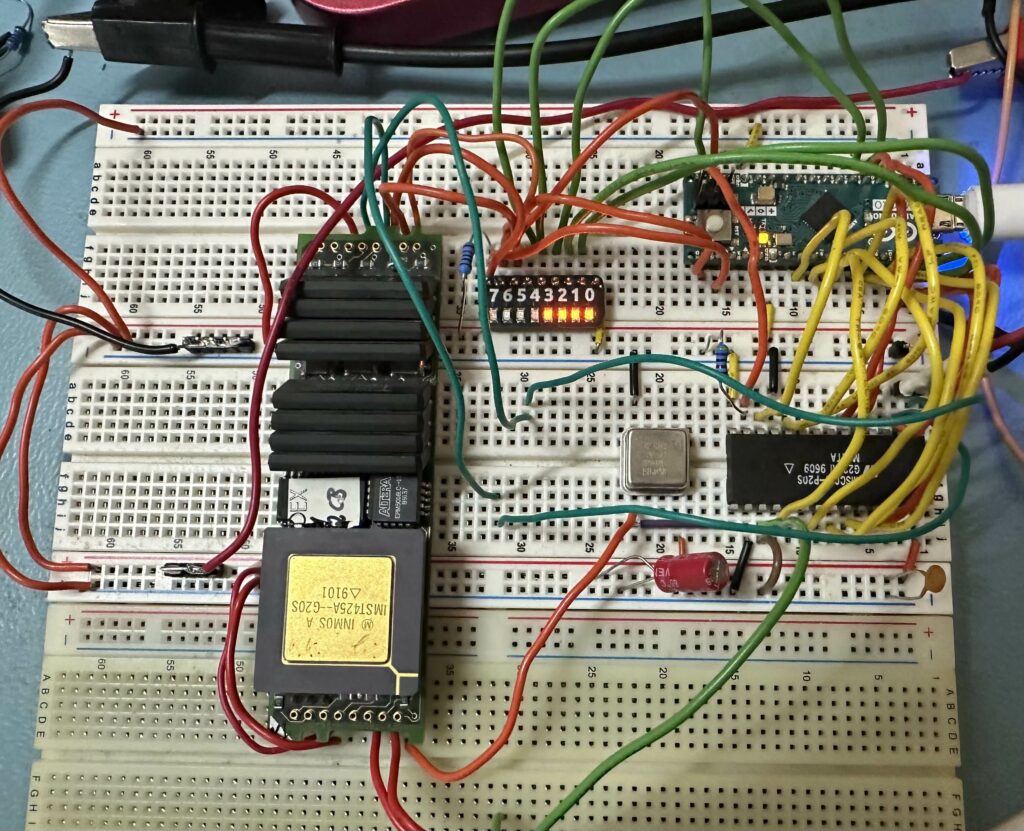
I finally managed to get data into and out of the transputer module (TRAM).
To do this I used an Arduino Micro I had (as it’s 5V) and some breadboard. Now the TRAM pulls 800mA at 5V and the breadboard struggles with this, so I ended up using 4 links for 0V and 4 links for 5V and pushing the power supply to 5.5V to get 5V on the TRAM (not a problem on a PCB).
I added some LEDs to various signals just so I had some confirmation that it was actually doing something. I also ran the transputer links at 10Mbps rather than 20 as I was concerned about signal integrity ono a broadboard (let’s be honest, they’re not great at the best of times).
The next step is to try the same with QBASIC in DOS and see if that works, now I know what a correct behaviour is.
The transputer is little endian, which is why the address seems backwards, and yes the start of RAM is at 0x80000000, internal transputer ram is 0x80000000 to 0x80000FFF and external starts at 0x80001000 and goes up to whatever you have on the TRAM (1MByte, or 256K words in my case).
So the code sends a read command (0x01) followed by the 32bit address.
Then reads 4 bytes back
Next it sends a write command (0x00) followed by the same 32bit address
Then we send 4 bytes of data (0x55AA55AA)
Then we send a read command again, address and four reads!
My Arduino code is here;
/*
  C011 test
  */

#define nCS 12      // D12 is nCS
#define RnW 11      // D11 is R/nW
#define RS0 18      // D18 is RS0
#define RS1 19      // D19 is RS1
#define RST 15      // D15 is RESET (active HIGH)

#define DB0 10      // D10 is data bus 0
#define DB1 9       // D9 is data bus 1
#define DB2 8       // D8 is data bus 2
#define DB3 7       // D7 is DB3
#define DB4 6       // D6 is D4
#define DB5 5
#define DB6 4
#define DB7 3

#define TRAM_RST 14        // D14 for TRAM reset (active HIGH)
#define TRAM_ANALYSE 16    // D16 TRAM ANALYSE
#define TRAM_nERROR 17     // D17 for TRAM nERROR

// Send data to the C011
//   sets the pinmode to outputs, toggle CS and WR, set back to input
void SendData(uint8_t data)
{
  pinMode(DB7, OUTPUT);
  pinMode(DB6, OUTPUT);
  pinMode(DB5, OUTPUT);
  pinMode(DB4, OUTPUT);
  pinMode(DB3, OUTPUT);
  pinMode(DB2, OUTPUT);
  pinMode(DB1, OUTPUT);
  pinMode(DB0, OUTPUT);

  digitalWrite(DB7, data & 0x80);
  digitalWrite(DB6, data & 0x40);
  digitalWrite(DB5, data & 0x20);
  digitalWrite(DB4, data & 0x10);
  digitalWrite(DB3, data & 0x08);
  digitalWrite(DB2, data & 0x04);
  digitalWrite(DB1, data & 0x02);
  digitalWrite(DB0, data & 0x01);

  delay(1);
  digitalWrite(RnW, LOW);
  delay(1);
  digitalWrite(nCS, LOW);
  delay(1);
  digitalWrite(RnW, HIGH);
  delay(1);
  digitalWrite(nCS, HIGH);
  delay(1);

  pinMode(DB7, INPUT);
  pinMode(DB6, INPUT);
  pinMode(DB5, INPUT);
  pinMode(DB4, INPUT);
  pinMode(DB3, INPUT);
  pinMode(DB2, INPUT);
  pinMode(DB1, INPUT);
  pinMode(DB0, INPUT);

  delay(10);
}

// Read data from the C011
//   sets the pinmode to input, toggle CS and DR, leave pins as input
//   return read value
uint8_t ReadData(void)
{
  uint8_t temp;
  pinMode(DB7, INPUT);
  pinMode(DB6, INPUT);
  pinMode(DB5, INPUT);
  pinMode(DB4, INPUT);
  pinMode(DB3, INPUT);
  pinMode(DB2, INPUT);
  pinMode(DB1, INPUT);
  pinMode(DB0, INPUT);

  delay(1);
  digitalWrite(RnW, HIGH);
  delay(1);
  digitalWrite(nCS, LOW);
  delay(1);

  temp = digitalRead(DB7);
  temp <<= 1;
  temp += digitalRead(DB6);
  temp <<= 1;
  temp += digitalRead(DB5);
  temp <<= 1;
  temp += digitalRead(DB4);
  temp <<= 1;
  temp += digitalRead(DB3);
  temp <<= 1;
  temp += digitalRead(DB2);
  temp <<= 1;
  temp += digitalRead(DB1);
  temp <<= 1;
  temp += digitalRead(DB0);


  digitalWrite(RnW, HIGH);
  delay(1);
  digitalWrite(nCS, HIGH);
  delay(1);

  delay(10);

  return temp;
}


void ShowInputStatus(void)
{
  // read input status
  digitalWrite(RS0,0);
  digitalWrite(RS1,1);
  uint8_t data = ReadData();
  Serial.print("INPUT STATUS:");
  Serial.println(data);
  delay(10);
}

void ShowOutputStatus(void)
{
  // read OUTPUT status
  digitalWrite(RS0,1);
  digitalWrite(RS1,1);
  uint8_t data = ReadData();
  Serial.print("OUTPUT STATUS:");
  Serial.println(data);
  delay(10);
}


void WriteTRAMData(uint8_t data)
{
  // Write Data
  Serial.print("send: 0x"); Serial.println(data,HEX);
  digitalWrite(RS0,1);
  digitalWrite(RS1,0);
  SendData(data);
}

uint8_t ReadTRAMData(void)
{
  // READ data
  digitalWrite(RS0,0);
  digitalWrite(RS1,0);
  uint8_t data = ReadData();
  Serial.print("READ: 0x"); Serial.println(data, HEX);
}


//*************************************************************************
// the setup function runs once when you press reset or power the board
void setup()
{
  Serial.begin(115200);
  delay(500);

  pinMode(LED_BUILTIN, OUTPUT);
  digitalWrite(LED_BUILTIN, HIGH);

  while(!Serial.available())      // wait for a character from serial, as the monitor doesn't load quick after programming and I Want to follow the progress
  {
    Serial.print("Waiting ");
    delay(300);
  };
  Serial.println("");

  // data control setup
  pinMode(nCS, OUTPUT);
  digitalWrite(nCS, HIGH);
  pinMode(RnW, OUTPUT);
  digitalWrite(RnW, LOW);
  pinMode(RST, OUTPUT);
  digitalWrite(RST, LOW);

  // Databus setup
  pinMode(DB7, INPUT);
  pinMode(DB6, INPUT);
  pinMode(DB5, INPUT);
  pinMode(DB4, INPUT);
  pinMode(DB3, INPUT);
  pinMode(DB2, INPUT);
  pinMode(DB1, INPUT);
  pinMode(DB0, INPUT);

  // RS setup
  pinMode(RS0, OUTPUT);
  pinMode(RS1, OUTPUT);
  digitalWrite(RS0, LOW);
  digitalWrite(RS1, LOW);

  // TRAM pins
  pinMode(TRAM_ANALYSE, OUTPUT);
  pinMode(TRAM_RST, OUTPUT);
  pinMode(TRAM_nERROR, INPUT);

  // init things
  delay(100);
  Serial.println("RESETTING C011");
  digitalWrite(RST, HIGH);
  delay(10);
  digitalWrite(RST, LOW);
  delay(100);

  Serial.println("RESETTING TRAM");
  digitalWrite(TRAM_RST, HIGH);
  delay(500);
  digitalWrite(TRAM_ANALYSE, HIGH);
  delay(500);
  digitalWrite(TRAM_RST, LOW);
  delay(500);
  digitalWrite(TRAM_ANALYSE, LOW);
  delay(500);

  // Write input status   (disable interrupts)
  digitalWrite(RS0,0);
  digitalWrite(RS1,1);
  SendData(0x00);
  delay(10);

  // Write OUTPUT status   (disable interrupts)
  digitalWrite(RS0,1);
  digitalWrite(RS1,1);
  SendData(0x00);
  delay(10);


  delay(500);
}

// the loop function runs over and over again forever
void loop()
{
  digitalWrite(LED_BUILTIN, HIGH);  // turn the LED on (HIGH is the voltage level)

  Serial.println("Read memory location power up contents");

// read from address 0x8000F000  (Transputer external RAM)
  ShowInputStatus();
  ShowOutputStatus();
  WriteTRAMData(0x01);
  WriteTRAMData(0x00);
  WriteTRAMData(0xF0);
  WriteTRAMData(0x00);
  WriteTRAMData(0x80);

  delay(10);

  ReadTRAMData();
  ReadTRAMData();
  ReadTRAMData();
  ReadTRAMData();

  delay(10);

  Serial.println("Write new value");

// write a value to 0x80000F00
  WriteTRAMData(0x00);
  WriteTRAMData(0x00);
  WriteTRAMData(0xF0);
  WriteTRAMData(0x00);
  WriteTRAMData(0x80);
  WriteTRAMData(0xAA);
  WriteTRAMData(0x55);
  WriteTRAMData(0xAA);
  WriteTRAMData(0x55);

  delay(10);

// read from address 0x8000F000  (Transputer external RAM)
  WriteTRAMData(0x01);
  WriteTRAMData(0x00);
  WriteTRAMData(0xF0);
  WriteTRAMData(0x00);
  WriteTRAMData(0x80);
  delay(10);

  ReadTRAMData();
  ReadTRAMData();
  ReadTRAMData();
  ReadTRAMData();

  ShowInputStatus();
  ShowOutputStatus();

  Serial.println("done");

  digitalWrite(LED_BUILTIN, LOW);   // turn the LED off by making the voltage LOW


  while(1)    // just a little loop so I know it's still alive.
  {
    Serial.print(".");
    digitalWrite(LED_BUILTIN, LOW);   // turn the LED off by making the voltage LOW
    delay(500);
    Serial.print("o");
    digitalWrite(LED_BUILTIN, HIGH);   // turn the LED off by making the voltage LOW
    delay(500);
  };

}
Page 15
I have, as many of you probably know, a bit of a thing for retro computing. This doesn’t help with my ongoing stack of projects. But it is what it is.
Lately I’ve dived deep into the world of Transputers. I also have a PC104 form factor PC (Celeron). Now I kinda like the PC104 form factor, it’s cute and PCBs are cheap (being under 100mm by 100mm), but it’s not without it’s challenges.
The Transputer connects to a host via a Link controller (C012 or C011), this turns 8 bit data into 32bit streams which in turn gets passed to the first Transputer.
The Transputer Module (called a TRAM) is a few mm longer than the PC104, but that’s fine for me.
Sadly I’ve been unable to get this to work at all. My suspicion is that this is down to the speed of my PC104 processor (a 1GHz Celeron). Transputers existing back when PCs were barely scraping 30MHz even up to 100MHz. So for the moment I’m paused on this whilst I think of a solution.
I figured it was time list my projects and their current state, along with some comments/notes. These are in no particular order
Project
% complete
Comments
% motivation / thoughts
Quadrowave
85%
It’s making sound, is playable, needs a bit more work on the code.
90%, I want to get this finished ASAP
Caladan OPL3
95%
It’s making sound, all the filter modes work, fully playable. Just needs some bits from Isla Instruments to complete
90%, again, I really want to finish this and get it out the door.
Delta
80%
It’s making sound and is playable, it needs some work on the code and a lot of work on the user interface.
20%, it’s been a long project and in all honesty I’ve poured thousands of pounds into it and even more hours.
TinySynth
15%
It’s making sound, the DACs are all working and MIDI works, but there is a LONG way to go.
40% it’s a fun thing I can pick up as/when I have the beans or interest.
PJ5 CPU
95%
The sticking point is the display, it’s proving difficult to get working. I also need to build some more PCBs so I have one (the original is with Jon)
40% I really want to complete it, but right now I’m a bit fed up with trying to get the display to work.
PJ32 CPU
0%
This is just an idea, a 32bit Risc-V based TTL CPU that can play doom
10%, feels like a mammoth task that will take years.
PDP11 Hack+
95%
It’s all done, I just want to write some more code for it (Game of life), but getting a compiler that works is just so hard
10%, if I could find a compiler it would be higher, but so far nothing seems to work.
Epsilon
20%
This is a two VCO polysynth, using the SSI2130 VCO chip and NJM2069 VCF/VCA chips. I’ve got the PCBs, heck I’ve even got a box!
10%, so much code to write, so much testing to do, it feels daunting
Xnn UI
10%
This is not much more than an idea. A box with a display, some knobs and switches that I can put the guts for an XVA or XFM2 synth in. I do have the 5″ touch screen, and rouch panel layout.
25% I like the idea of having a synth I can swap engines in. But much time and code needed.
Transputer boards
80%
I have the boards, the chips, they’re assembled but I can’t seem to get reliable comms between the PC and the transputer
80% This really interests me, but is proving difficult, especially without a “known good” board to compare against. It’s getting quite demoralising.
68030 VME
15%
The idea here is build a 68030 VME card so that I can try talking to transputers in a VME chassis
40% I’ve found a suitable starter PCB which needs some work, I even have a 68030 50MHz chip, but is kind of blocked by the transputer link problem.
Eurorack NJM2069 module
50%
PCBs are designed and routed.
10%, Is anyone going to want to buy them? I made 15 of MU format ones as people said they were interested and sold only 6. So is it worth the effort?
MUseq
90%
PCBs done, code pretty much done
10%, Chippageddon kind of killed my passion for this project. There are 4 fully built units, two with people for testing and two with me.
All in all, there’s a lot there.. and there’s a bunch of other random stuff bouncing around in my head (ideas/concepts/etc).
My Mental health is a bit poor at the moment, I’m constantly exhausted and tired and just don’t feel like doing anything.
Page 16
These days my day-job keeps me very busy, I enjoy what I do but it does mean I have very little energy left by the end of the week. With that in mind, I’ve made a decision;
I will be pausing synth development (other than Quadrowave for Isla Instruments) for a while, I don’t know how long that will be. I need a change.
I’ve been playing with some old computer tech, including the PJ5 CPU project. I’ve got an old PC104plus style PC up and working (Celeron M) and I can play some games on it (Doom, Monkey Island, etc). It currently has no soundcard (well it has an AC’97 compatible one, but the games are so old they don’t see it), I’ve got a PicoGUS for PC104 coming. I’ve also gone down the Transputer rabbit hole, so that’ll something new to obsess over for a while.
I’ve also ditched windows and gone to Ubuntu, I just got so tired of all the AI rubbish and things being forced on to my PC that I don’t use, nor want.
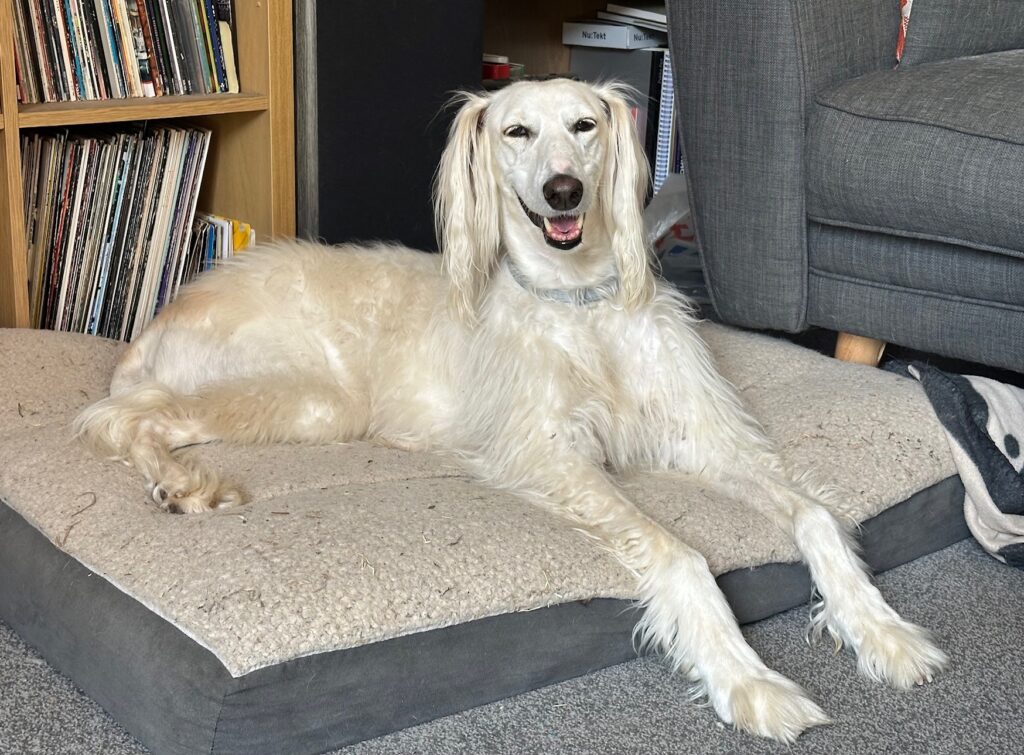
I’m still enjoying walking Suzi and spending time with her, she is such a wonderful part of my life. So I’ll leave you with a picture of her to brighten your day.
Page 17
I wrote this a while back (mid 2024), and various reasons decided not to publish it, but now I think the time is right.
I had a dream, since the mid 1980s, to design and build synthesisers for a living, it combines two things I’m passionate about, electronics and music.
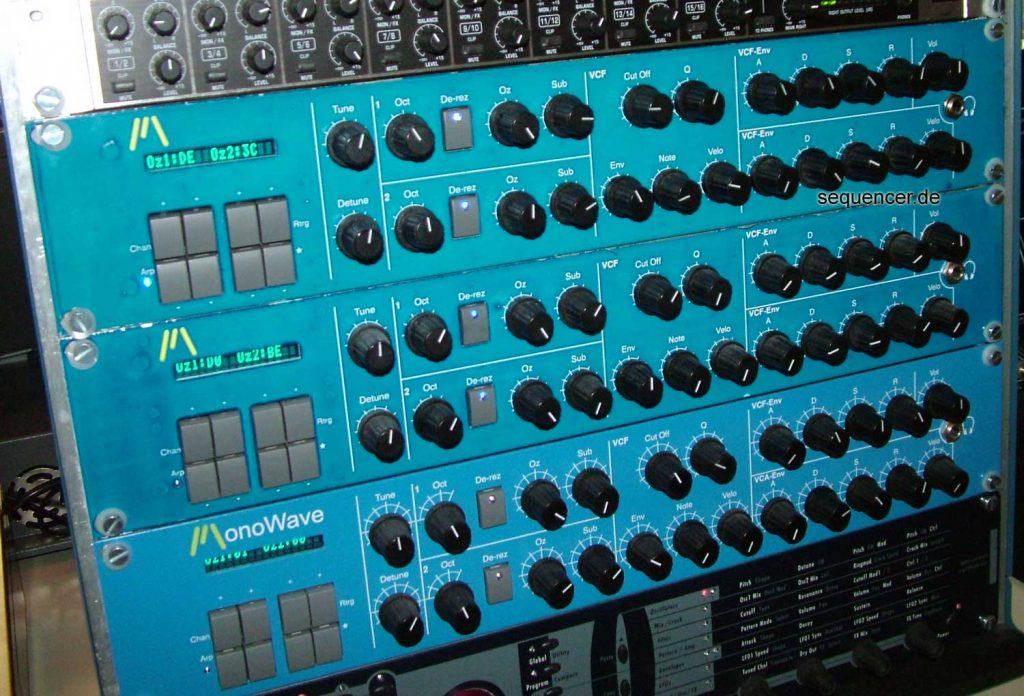
In 2000 I had my appendix out and as a result I had a few weeks off work, so I built the Monowave based on various bits from projects I’d been tinkering with. I taught myself C for the main CPU and soldered all the parts to strip board (oh what fun that was). The Monowave had two digital oscillators with 256 waveforms, two sub-oscillators and a unique de-rez function, that lowered the wave samples from 256 samples per cycle to 64, giving a bunch of extra harmonics. This fed into a Transistor ladder filter and into a VCA. There were two analogue ADSRs, one for the VCF and one for the VCA, later I added a digital LFO and an arpeggiator.
After showing it to a few friends, I was persuaded to make a few 25 in addition to the early prototypes. Making the 25 was hard work, I hand built and soldered everyone. I sold them, but really didn’t recover the cost of my time in making them, but I was proud of what I had made.
After that I took a break, and a few years later I was back, I got a soundart Chameleon and ported Monowave to the DSP platform with a few extra features. Then I built the GorF MIDI sequencer, it was intended as a tool for testing synths. Then there was Tron a 16 step drum pattern programmer and then Zira, a simple monosynth absed on the Korg NJM2069 VCF/VCA.
GorfZiraTron
Around this time (2012) I began working on a new monosynth, Gauntlet, which was to be a desktop synth based on the Monowave, with patch storage and some more modulation routing, it had two PCBs, one for the voice and one for the front panel, MIDI and patch storage.
At the same time someone who had purchased one of the 25 Monowaves got back in touch, he was interested in starting a synth company. Great!!
The Dream
We spent a long long time talking, and in 2013 we formed “Modulus Electronics”, and work began in earnest on Gauntlet, we quickly realised that if we stacked multiple of the voice cards we could make a polysynth (somewhere there’s a picture of me with a stack of 8 PCBs, smiling as I play chords). This went on to become 002.
I was also fortunate to meet another synth maker around the same time, George Hearn, who had also been working on an analogue poly synth. We had a “I’ll show you mine if you show me yours” conversation and we were both impressed with what the other had done. We were able to do a deal with George to port the tech he had into a voice card that would fit in with the architecture of 002, so we could re-use a lot of parts. This became 008.
This was my dream job, I worked hard, 70 to 80 hours a week, but I loved my job, I loved making synths and it was amazing.
When dreams become nightmares
Running a synth business isn’t easy, and things were difficult to say the least, during my 3.5 years at Modal I got paid roughly 12 times, I was running up a large debt. I was also fighting with my depression and slowly accepting that I needed to transition or I wouldn’t be able to live much longer. Around the same time I became aware that my business partner was bullying me, for exampe; ignoring me when he came into the office but talking to everyone else. He also persuaded me that I shouldn’t transition, that I shouldn’t tell any of the team as it would be bad for business, which did so much damage to my mental health I don’t have the words to describe it. I had also been pushed into reducing my share of the company to 25% and I was being ignored when it came to decisions.
I won’t claim I was blameless for some of the mistakes, but I will say when I made a mistake I owned up to it, unlike my business partner who would find a way to blame me or someone else. Other former employees have said silimar things. To sum it up, it was Toxic.
In December 2016 I had enough of the bullying and being put down, I gave my notice and left. I had a nervous breakdown, I came completely undone, I couldn’t function as a person. I was made to give back everything, my 002, my 008, my tools, literally everything. All I was left to show for my effort was a debt of nearly £80,000 and a nervous breakdown. Then the solicitors got involved, this cost me even more money. In April I found a new job (by this time the debt was growing) as myself and slowly started rebuilding my life.
I attended SynthFest in Sheffield that October, it was good to see some of my friends, and every single one of them accepted me for who I am. Shortly after, I got a letter from a solicitor, seems that my ex business partner thought I was breaking the terms and conditions of the separation agreement by going to a public synth show and that ended up costing me even more money in legal fees.
Life resumes
Eventually, after much therapy and encouragement from friends I begun working on synths again, and after a while Dove Audio was born. I kept an eye on Modal as I was still proud of most of the people that worked there and what they were doing.
Sadly during the “chip-aggedon” shortages of 2020/2021 I had to close Dove Audio. I am still working on things and have a demonstrable polysynth, though not a full knobby version. I’ve also been working with Isla Instruments on their Caladan project, which is a fabulous idea and is coming together really well.
Modal & Me, the future
In September of 2023 I became aware that Modal was struggling, and had filed for insolvency. Since then I’ve had the odd chat with a couple of the people at Modal with a view to finding a way to work together. The new owner is a chinese company, the same company who did all the PCB manufacture and assembly work, which from what I can tell, seems pretty good. However, due to a number of reasons I have said that I will not work with Modal as it stands today in it’s new form. I appreciate this may seem a shame for some, but I need to put my health and family first and I don’t feel that right now that would be possible with Modal.
I am however helping Modal 00x users with support problems. I don’t get paid by new Modal, I do it because I’m very proud of the synths that we made back then.
Page 18
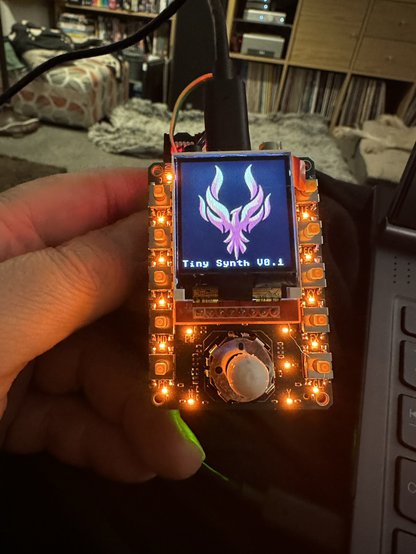
I’ve decided on a name, at least for now, TinySynth. Basically because, well, it’s tiny.
So a lot has, and hasn’t happened, it’s sort of being developed in fits and starts as and when I have the beans to work on it. Which I’m fine with. So let’s jump to it.
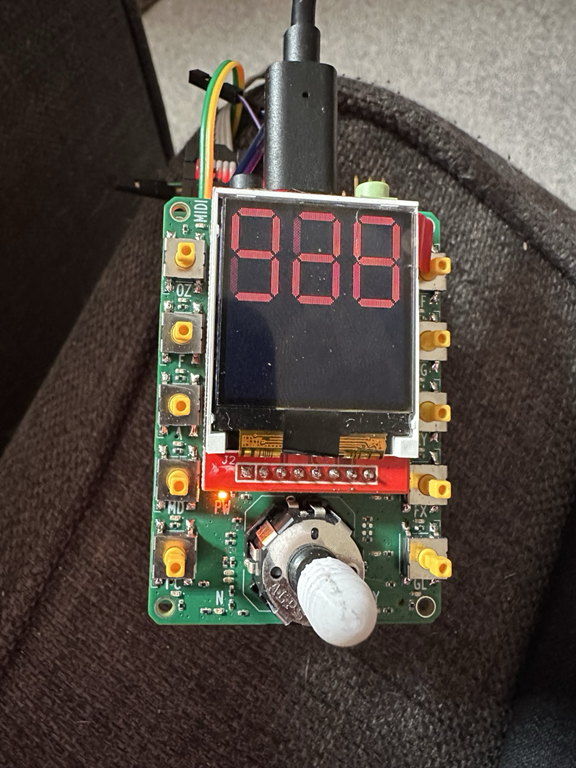
First we got the display working, this was based on some code my partner had done for another project, so there are some psudo 7 segment digits counting from 0 to 999.
Then we got the LEDs and switches working, these are on a pair of PCA9555 I2C GPIO expanders, so two wires gives me 32 GPIO lines, neat!
And finally today I managed to get the rotary encoder working, and also comms to the FPGA (via SPI). I also managed to get some 3D prints done by my partner on for the buttons and a nicer joystick knob. The buttons will eventually get printed in translucent material, but for now, they work well.
In the video you can see the Joystick encoder (it works as a joystick with up, down, left and right as well as an encoder with button) working and the display and FPGA showing the encoder value.
Where it goes from here, I don’t know. I do plan to start with very simple oscillators, LFOs, ADSRs and so on, and build up, but with this being so small there is only so much complexity I want to put into this, at least for now.
Just to be clear, I’m not making this to sell, this is for fun and to stop myself from getting bored.
Page 19
Well the front Panel PCB arrived, it’s also the same size as the others, 45mm by 65mm but has 10 switches, MIDI in, autio out, USB-C PD power, 1.44″ TFT display, lots of LEDs and a joystick thing.
Top to Bottom;
Panel Board (display, buttons, power, midi and audio)
quad VCF (SSI2144) and VCA board
Another quad VCF (SSI2144) and VCA board (giving 8 voices in total)
I’ve included two 1/4″ audio jacks for scale (I ran out of Bananas). It’s not yet fully assembled, I’m waiting on the switches to arrive, but they’re due in the next couple of days. From there it will be software development time.
It all powers just fine from the USBC connector, and will auto negotiate the best power from any USB-C PD capable supply, though I’ve limited it to 10W. I honestly don’t think it will draw even 5W.
I’ve been designing little switch caps and joystick knobs and I plan to 3D print them and test them when the switches arrive.
Again, this isn’t going to be a product, this just a portable little dev rig for myself.
Page 20
ok, ok, I know, I should finish something first…… but…. no seriously, let me explain….
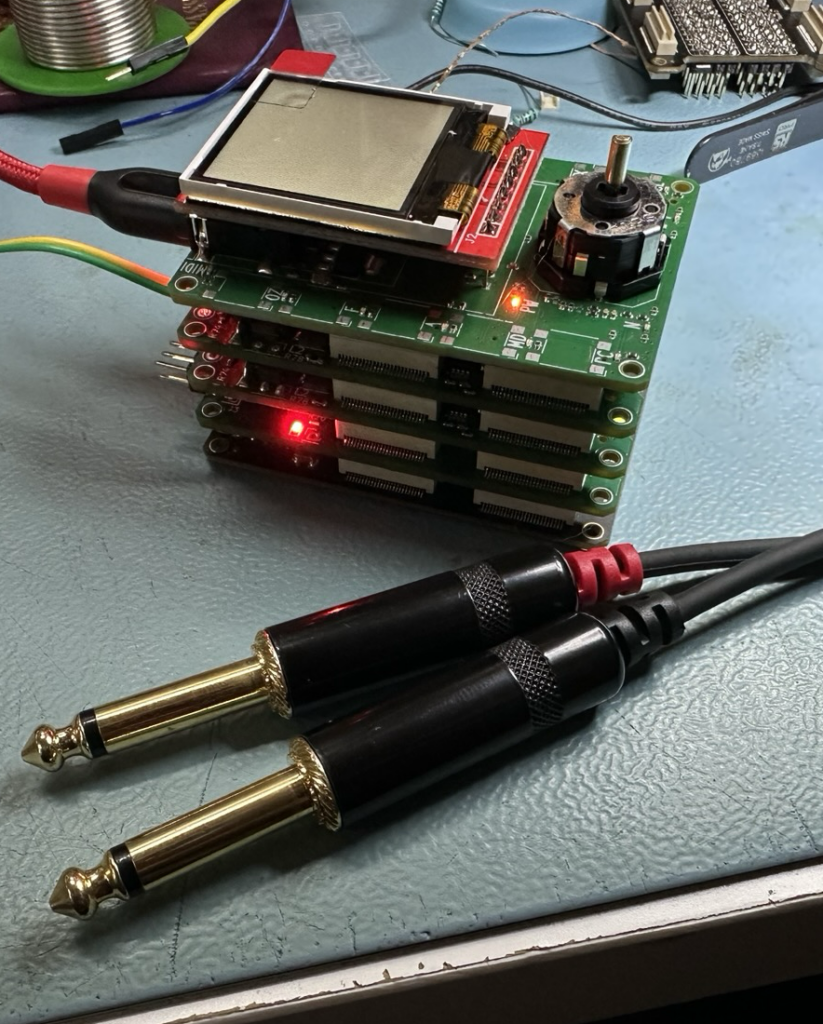
So one of the things that frustrates me is having to sit in my study of an evening to play with my synths, it takes me away from my other half and my Suzi dog. Now my other half usually plays games on her laptop, or sometimes does some coding, so I figured why not make something I can have sat on the sofa next to me instead of needing my lab, power supplies, big screens, etc.
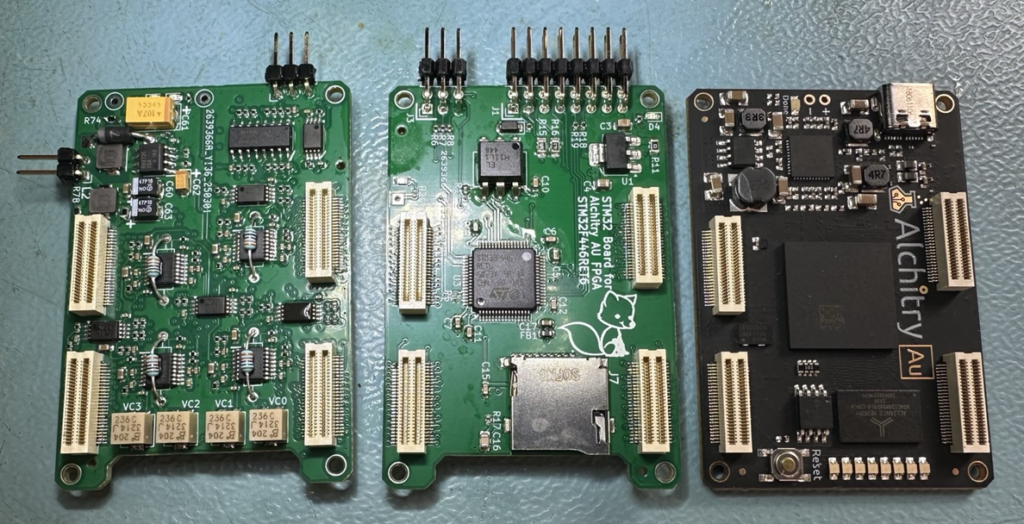
So I remembered I had this rather nice little Alchitry FPGA dev board, I found that someone had made a KiCAD library with the foot print and symbols for the connectors and I designed a couple of boards to fit in.
From left to right we have; 4 VCF/VCA analogue board with -5V inverter, STM32 board for storage and MIDI and the Alchitry AU FPGA board.
Each board is 65mm by 45mm, so pretty small which is neat. I can also power them all from USB C, so no bulky bench supply to carry with me. The quad VCF/VCA board has jumpers on the back, so in theory 4 of these can be stacked onto a single FPGA giving 16 voices. Now I don’t know if the FPGA has the “space” for that, but it has the IO to do it, so I figured why not 🙂
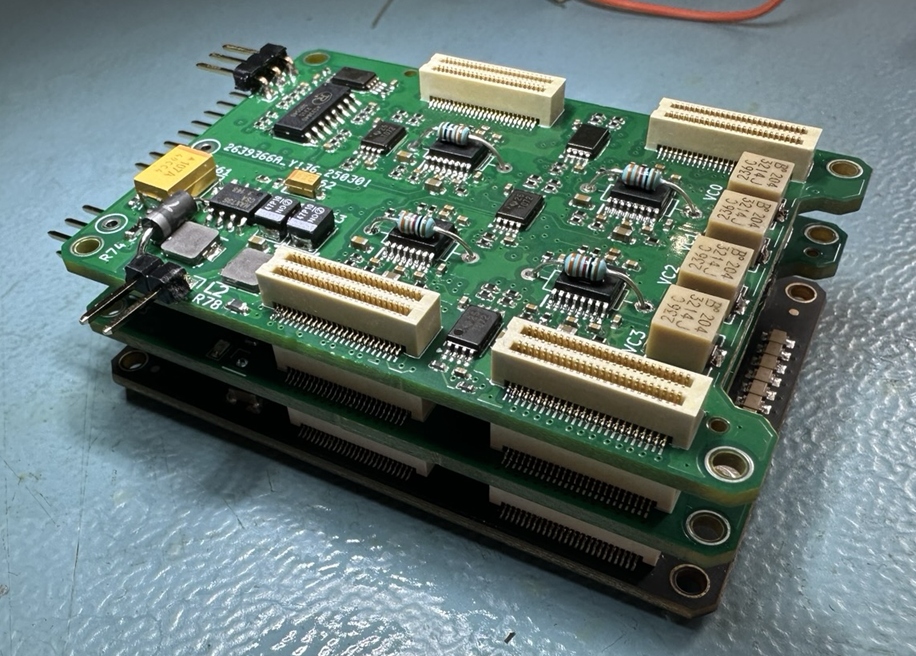
When they’re stacked they look like this;
Kinda cute eh?
The test pins on the side are for power and aren’t needed now the USB C power is working (I wanted to test the board on my bench supply before connecting it to my laptop and killing that).
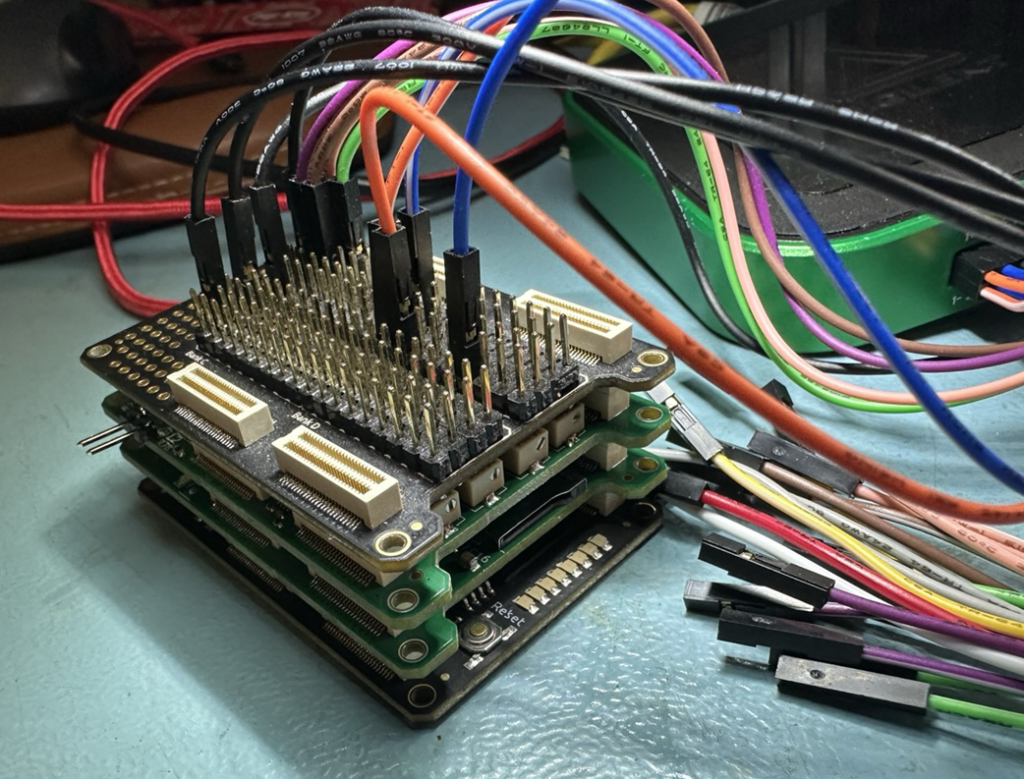
and with the break out board on top, I can connect a USB logic analyser/scope and get access to the signals.
This all sits very neatly next to me on the sofa and takes almost no space. So now I can sit on the sofa with my partner and nerd 🙂
This isn’t a complete side step from Delta as it might seem at first, Delta uses FPGAs at it’s core, so a lot of what I do on here will go into Delta. The DACs are already proven and working, and they control the VCFs and VCAs perfectly. So I can focus on making the core of Delta on this little portable system.
At some point I’ll probably want ssome simple user interface for testing, I’m thinking something like a 2.4 or 2.8″ screen with rotary encoder and a few buttons, just enough so I can tweak parameters and check things work.
I don’t plan on making this a product, this is just for fun, and as I kind of challenge to see how small I could make a synth. I do need a name though, not sure what yet.
Page 21
It’s been a while, it’s been hectic. A lot has been going on in my life outside of the synth world, and in it.
Work on the Quadrowave card has paused for a bit, due to other things, but it’s still moving along. Here I’ve popped a couple of videos with some progress, both have added reverb.
I’ve also been talking to Modal and I’m going to be doing my best to help 002/008 users with problems, though Modal aren’t paying me for this, I’m doing it because I love the synths I made when I was there.
Page 22
Well, the last couple of months have been a challenge. My partner is getting better which is great, but I managed to get COVID and this time it was horrid, 5 weeks on and I’m still not great. I struggle to focus and I’m constantly exhausted. My mood also hasn’t been great and I’ve been told I have arthritis, so yeah life is pretty sucky right now.
However, I did manage to get some work done on the Quadrowave card for Isla Instruments;
It has 4 voices, each with two oscillators (each with a sub) and 256 waveforms, currently two ADSRs per voice (VCF and VCA) and two LFOs (with 6 waveforms). I’m hoping to get some more bits in over the christmas break, assuming my energy comes back.
I’ve done nothing on Delta for a while, basically just down to lack of energy. Hopefully things will improve post holidays.
Page 23
September has not been a good month in many ways. Firstly my partner has been in hospital for a week having some major surgery as a result of her having had cancer 6 years ago and A week before that my mum had a stroke and has been in and out of hospital. Suffice to say, I’ve really not had much in the way of energy or enthusiasm to do much with synths, but I have done some bit when I’ve had the beans.
Quadrowave
Quadrowave has fully functioning ADSRs for VCF and VCA, the VCF and VCA work, two LFOs are also working and the oscillators are working, it’s now “playable”, however there are a lot of things left to do, including a couple of minor issues and a lot of modulation routing to be done. But the basic core is there. No sound demos yet though, when ready those will come out via Isla Instruments on their YouTube channel, it’s great to be a part o f the team bringing Caladan to life.
Delta
Not really much to report on this, I’ve been struggling to get an SPI interface to work reliably in VHDL, I’m not sure why, but my head is more focused on my partner and mum at the moment. I have managed to modify, tune and setup all the VCF/VCAs.
Page 24
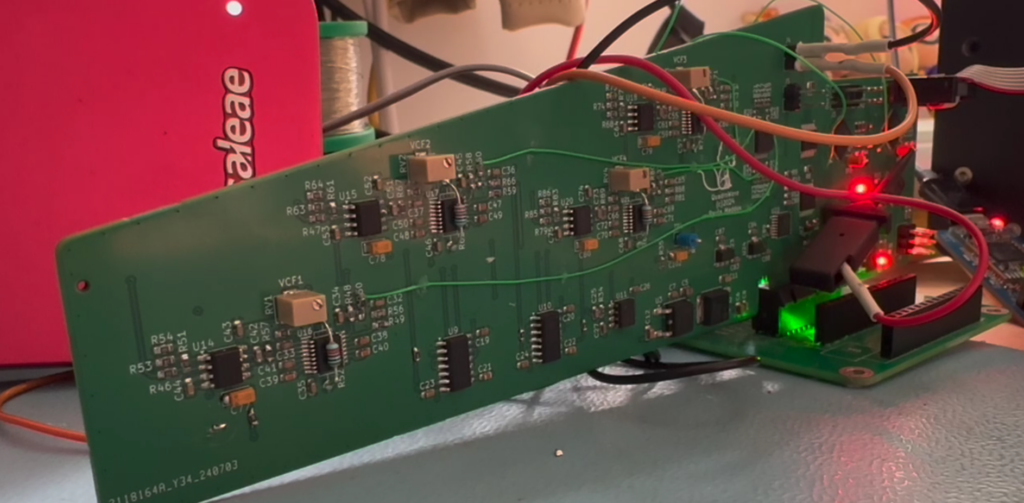
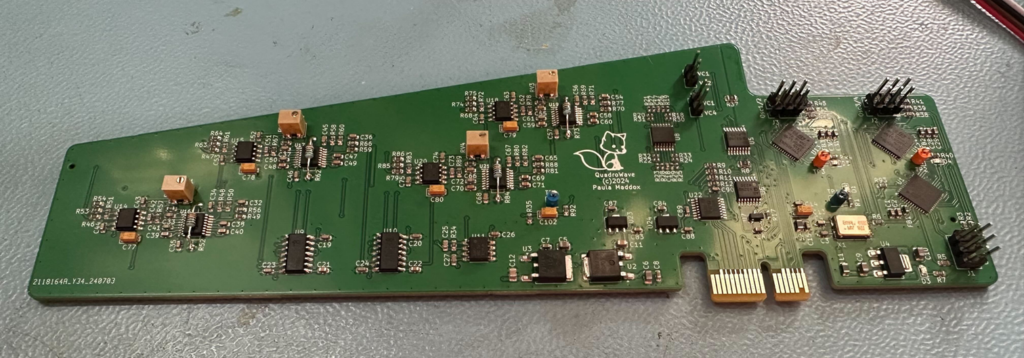
Things have been moving with synth projects this last month, first up the Quardowave card for the Isla Instruments Caladan has arrived, I’ve assembled it, checked power and got blink working on the CPUs.
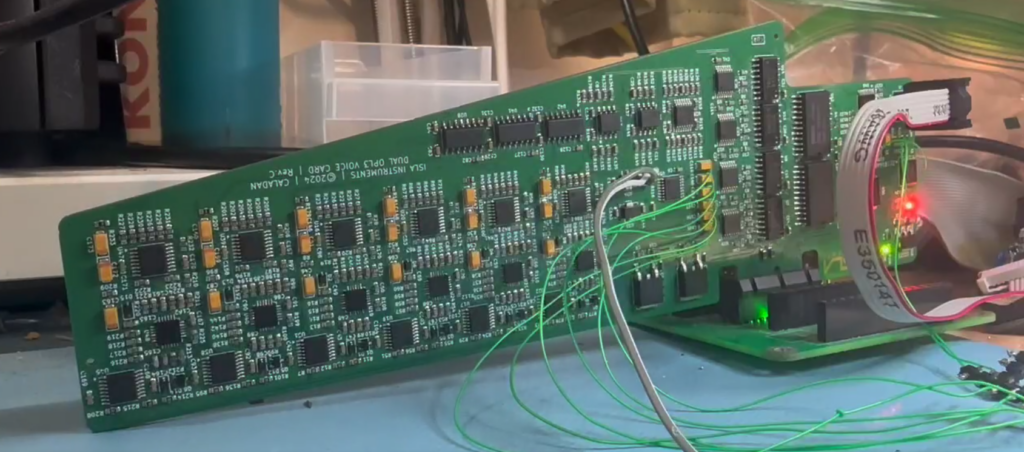
I still have to debug the VCFs but the other parts, like DACs and VCAs are the same as the OPL3 card I’ve been working on for Isla Instruments, so they shouldn’t be a problem. The next job is coding the CPUs and getting some sounds out. I’m looking forward to getting this up and running and making some sounds, it should sound epic.
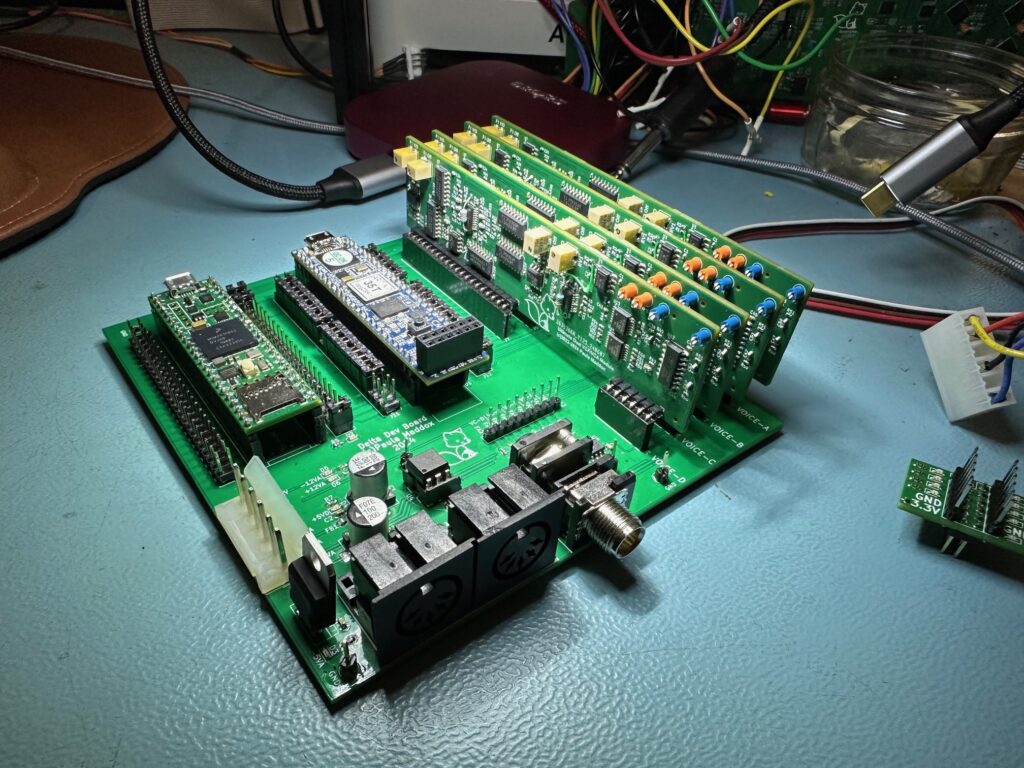
In other news the prototype voice holder for Delta has arrived and been assembled, I’ve also assembled and calibrated 4 of the dual VCF cards.
As you can see, I’ve got Audio out, MIDI in and MIDI out, as well as power and of course the two dev boards (FPGA and microcontroller).
I’ve also tested the FPGA one bit DACs and all 40 of them are running nicely at 25MHz and 16 bit depth, all the VCFs and VCAs respond accordingly which is a really big milestone.
Next is work on the VHDL and C code, my plan for now is to use my MIDI controller sending various CC’s to test features as I add them in the FPGA code. There is a lot of rework to do for the VHDL as the features have grown (more oscillators per voice, more VCFs, VCAs, etc) and as a result a lot more control and modulation routing needs to be done, so this isn’t going to be a quick project. The user interface has not yet been planned out, but I have allowed for a reasonable number of knobs and a display for this. As there is a lot to get right, the UI won’t be the final one, but will be more fully featured than the previous one.
Page 25
Things have been getting a little better of late and I’ve got some of my mojo back, some.
Firstly, I’ve been working with Isla Instruments on their Caladan synth, specifically the OPL3 card for it, this uses a bunch of new old stock YMF262 4 op FM chips and a multimode VCF and VCA. Originally it was 4 voices and has now been expanded to 6 voices.
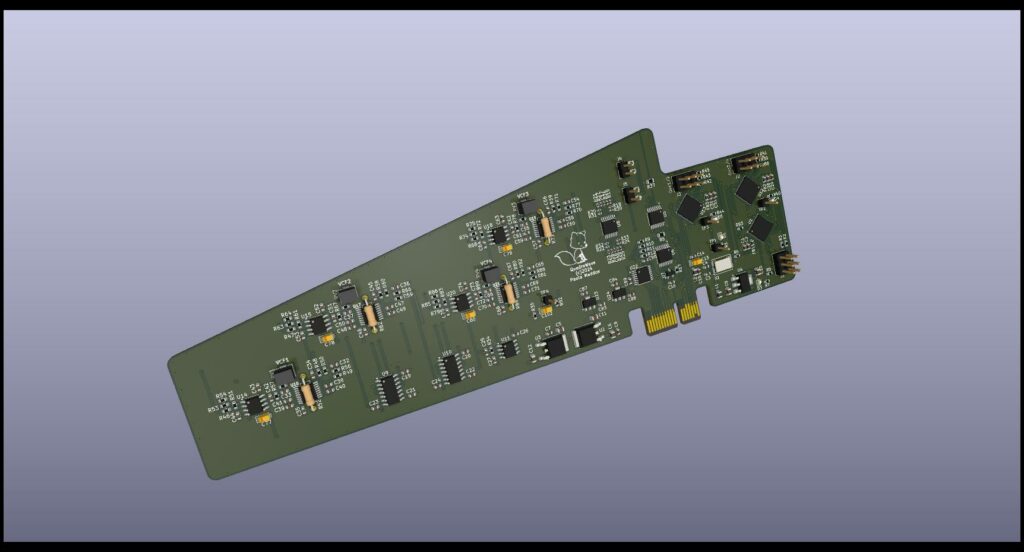
It’s almost done but I have a couple of features I want to add to the firmware yet. I have also been working on a voice card of my own design, I’m calling it the Quadrowave (until I can think of a better name), it’ll be very similar to the original Monowave, but with SSI2144 VCFs rather than discrete ladders. It will still sound awesome. Here’s a render whilst I wait for PCBs to arrive.
So do keep an eye on the Isla Instruments youtube channel and webpage!
I’ve also been working on Delta, I decided to upload a video where I talk about the current incarnation and what’s going on to YouTube.
https://www.youtube.com/watch?v=jpkybukyXss
I’ve shown this to a couple of people and I’ve been asked to change a few things, so I’m working on the next iteration. This will have dual VCFs and 4 oscillators per voice.
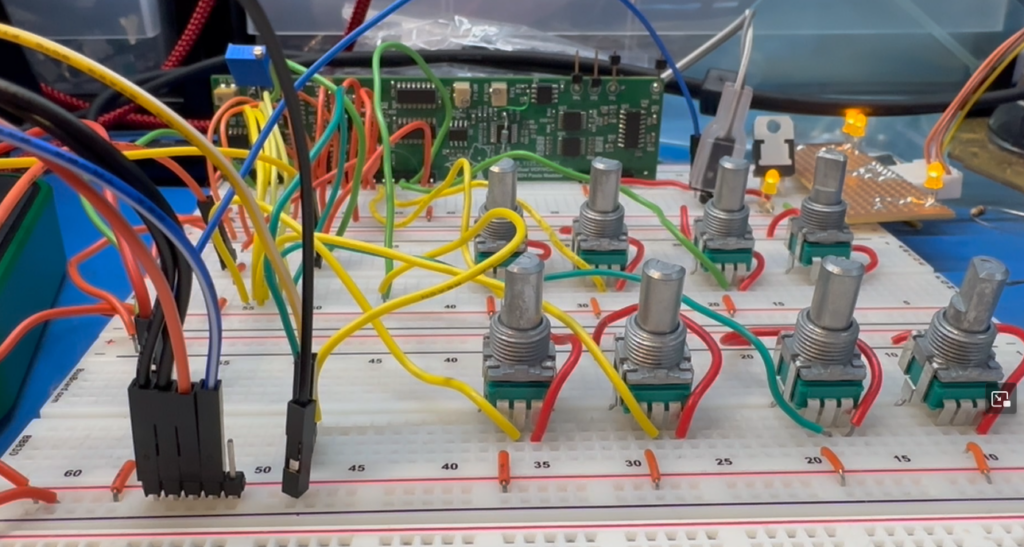
Here is a picture of the new dual VCF being tested;
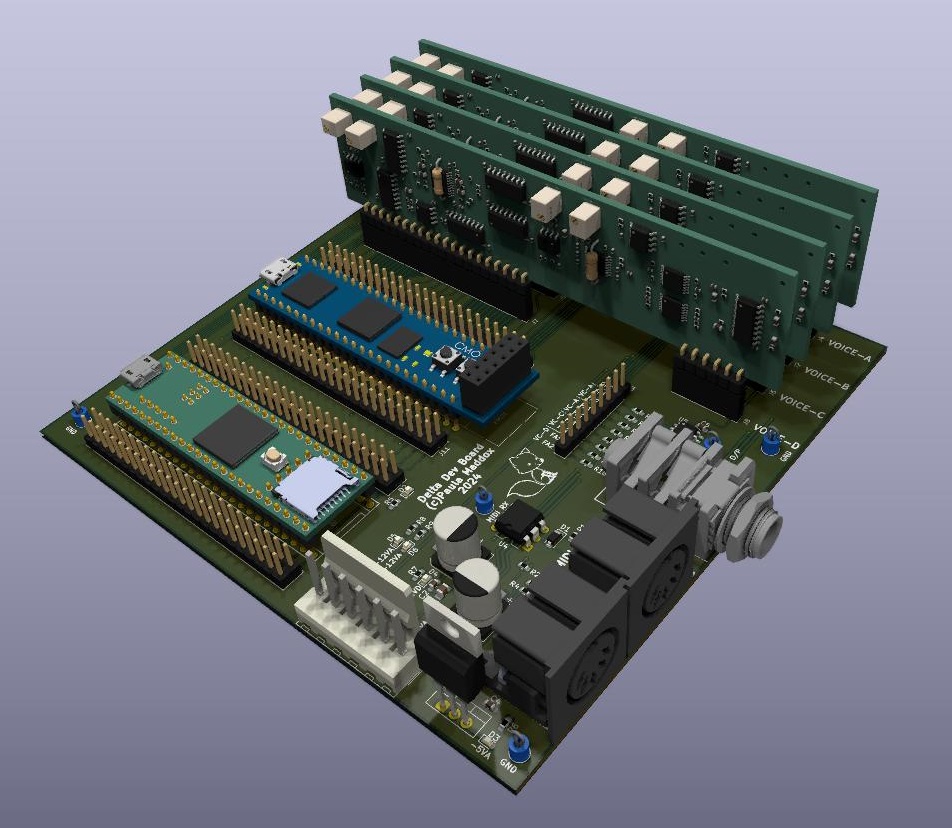
It sounds great and is super flexible, but I won’t reveal too much yet. Anyway, aside from one mod wire and a couple of resistor value changes it works a treat. So the next stage is work on the poly version, so I’ve designed a simple 4 voice PCB with the bare essentials to get me up and running.
We have power, a couple of development boards for the microprocessor and FPGA, MIDI in/out, Audio out and some test points. The new VCF boards are a lot more complex, so where as I needed 4 DACs per voice previously, I now need 10 DACs per voice, so I have a lot of rework to do with the FPGA code, a lot. It’s a bit daunting in all honesty, but equally I’m looking forward to the challenge.
I’ve also been working on a keyboard scanner PCB which works with the Fatar poly after-touch beds, the 5 octave one. That’s mostly working, a new board revision is needed but that’s being ordered in the next couple of weeks.
So that’s about it for now.
Page 26
Well I failed at posting once a month, my bad. A lot has been going on since March.
I’ve been talking to the new owners of Modal Electronics on and off, since September, and I just stepped away from it. My reasons? There are a few, but mostly because their vision and what I am passionate about in synths are very different things. There were a number of other factors involved, but I won’t go into them.
I’ve also not been well, for the couple of weeks I’ve been having major chest pains that come and go, a few days ago I ended up in an ambulance on my way to A&E as I was struggling to breath and had number fingers and leg (both left hand side). Thankfully it wasn’t a heart attack and a number of other things have been ruled out, but we don’t yet know what the problem is. I still have a painful chest and breathing is not easy.
So I’ve been taking it easy and giving myself plenty of time to rest, this has meant synth things have slowed down considerably.
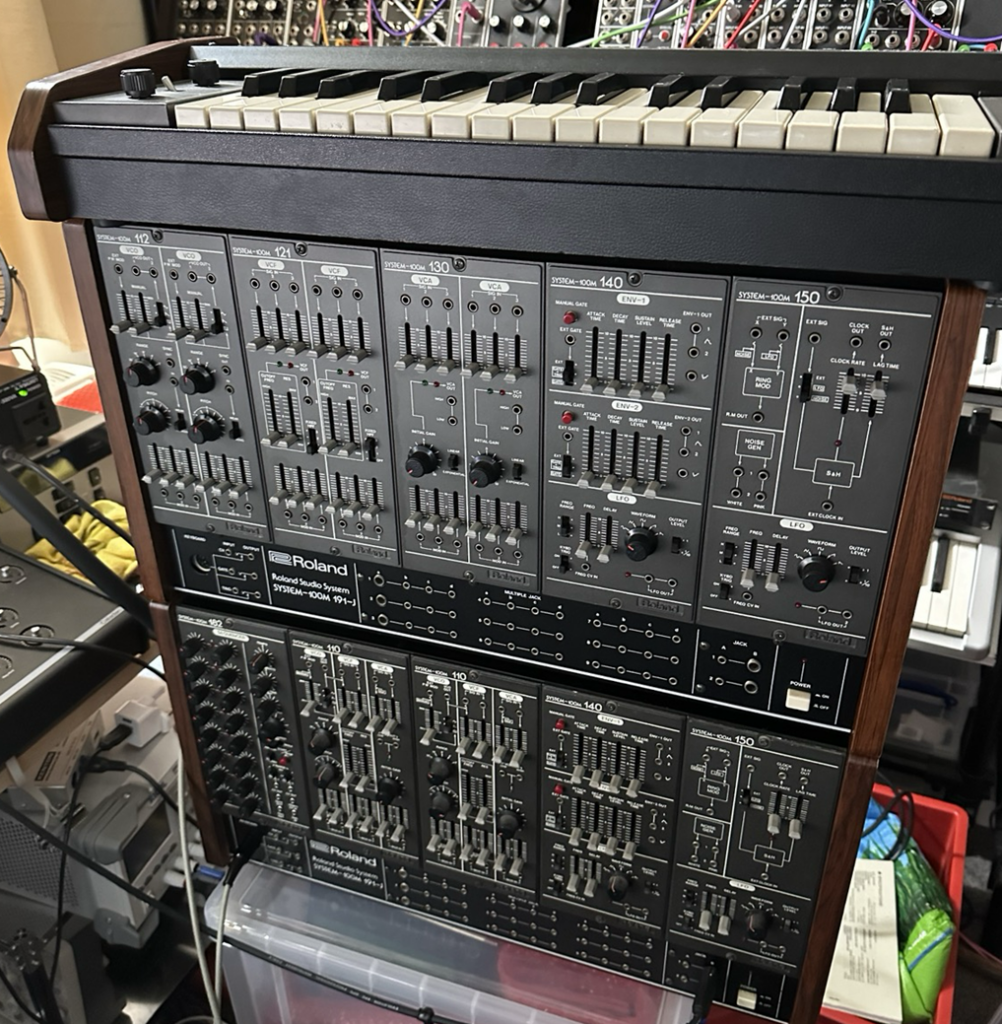
In other news, I did get myself a Roland system 100m, which sounds wonderful. I’ve had to clean up some of the modules (sticky pots and bad sockets) and the keymech also needed a good clean, as well as fixing a broken sample and hold (bad FET) and all is now good aside from two sockets.
I’ve wanted one of these since I saw them with the band “landscape” in 80s keyboard magazines and also when I saw “Hard Corps” on “The Tube”. It’s an amazing sounding synth and feels really solid, I mean the front panels are CNC machined metal!
Anyway, after playing with it for a few weeks I wanted to beef up the sound, so for each of the 110 synth voice modules (VCO, VCF & VCA) I added a sub oscillator which is normalized to the 2nd input on the VCF mixer. No holes were made and no tracks were cut, it needs 4 wires soldering on and it fully reversible.
I’ve looked at doing some modules for the 100m, but owing to the complexity of the CNC front panels, I’m not sure I can. Ryk-Modular and E-Licktronic do some modules for the system, so maybe there would be a way to work with them in the future?
I have also been tinkering with the 8×8 display I made, and I’m having a problem getting it to respond quickly enough to work with my PDP11 board. The main problem is that the write signal is around 500nS wide, and currently it’s taking the 8×8 display chip (ATMega1609) 670nS to respond to the falling edge interrupt! This is after I’ve tried two different compilers and optomised the heck out of the code. It *should* respond in about 5 clock cycles according to the datasheet, which is around 250nS, but I suspect the C compilers aren’t very efficient, so I may have to move to assembly language, or find an alternative processor, which I’d rather not have to do.